> ## Documentation Index
> Fetch the complete documentation index at: https://doc.onetoken.one/llms.txt
> Use this file to discover all available pages before exploring further.
# Work Buddy
#### Overview
WorkBuddy supports the integration of third-party custom models, allowing you to choose different Large Language Models (LLMs) to power your conversations based on your specific needs. This article provides a detailed guide on how to configure the **OneToken** platform.
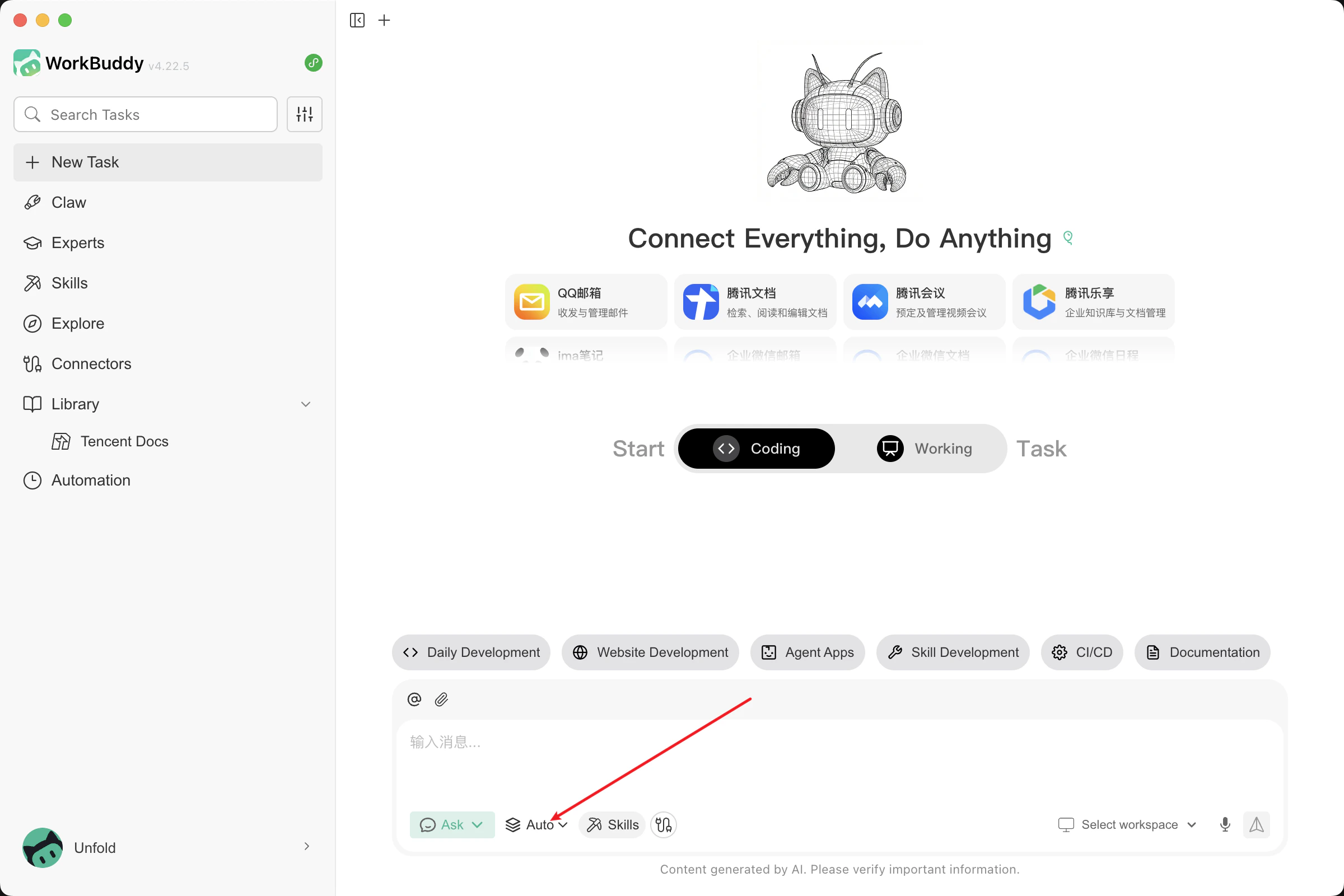
1. Click on Model Selection, then click on Configure Custom Model.
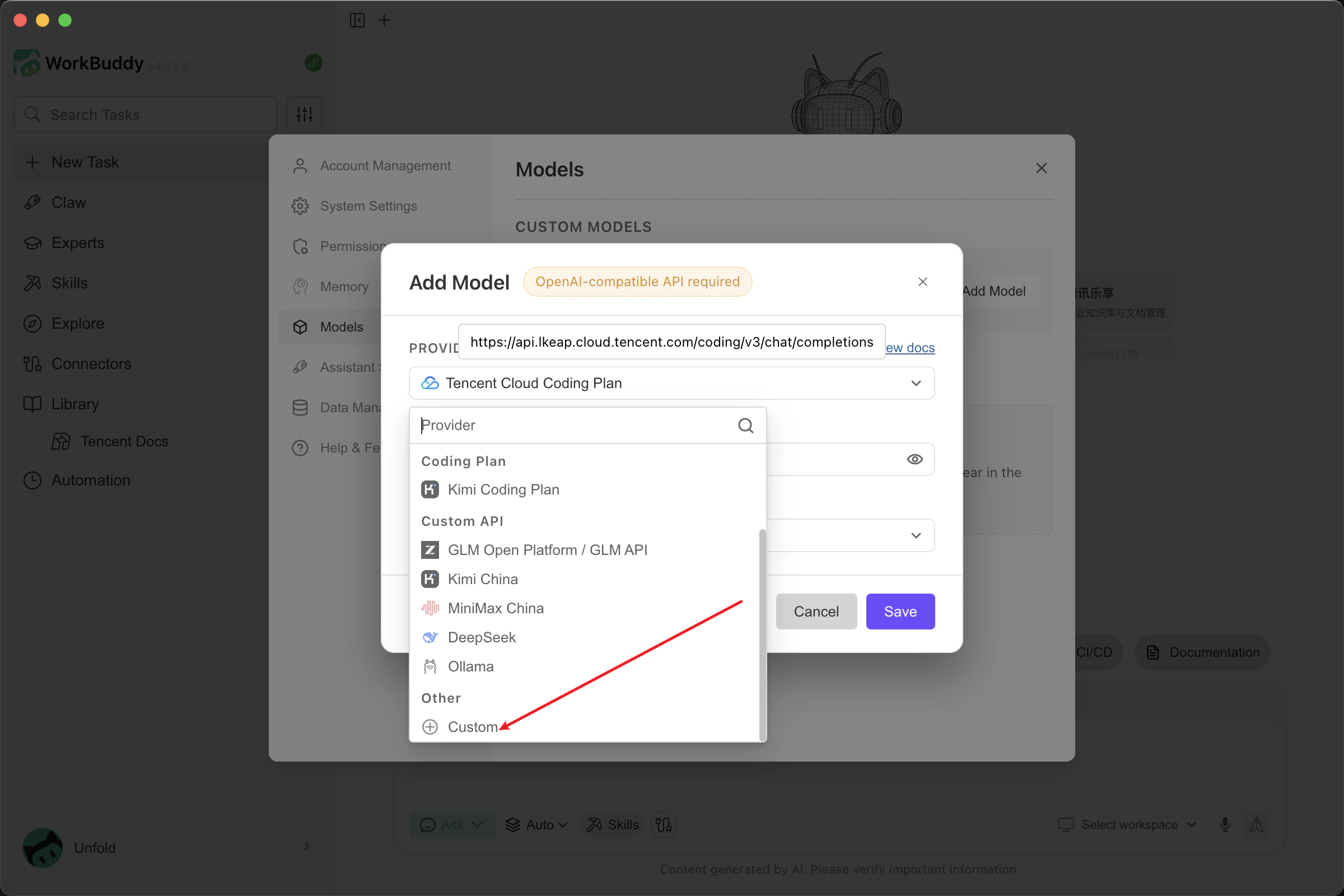
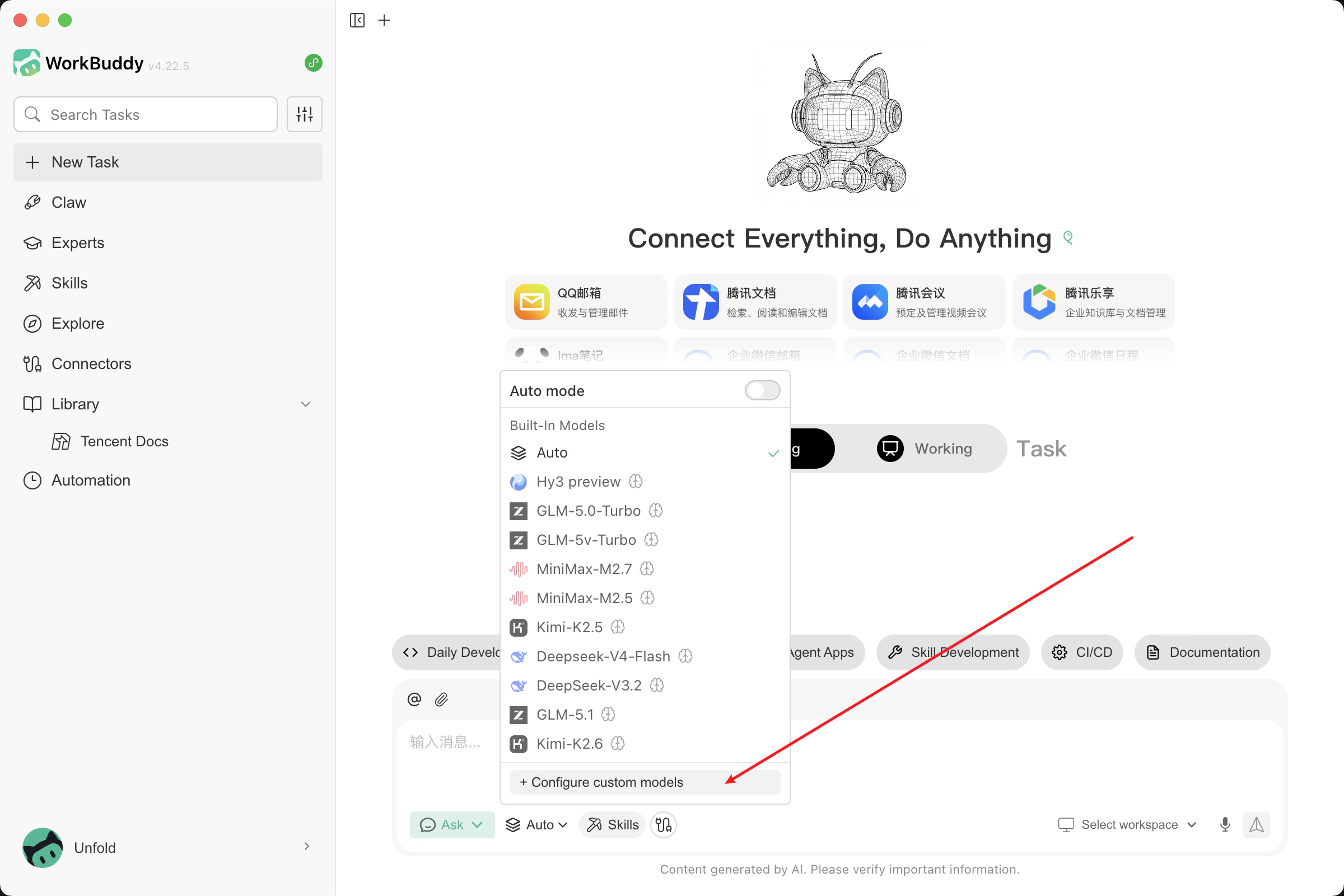 2. Click **Add Model**, scroll to the bottom of the provider list, and select **Custom**.
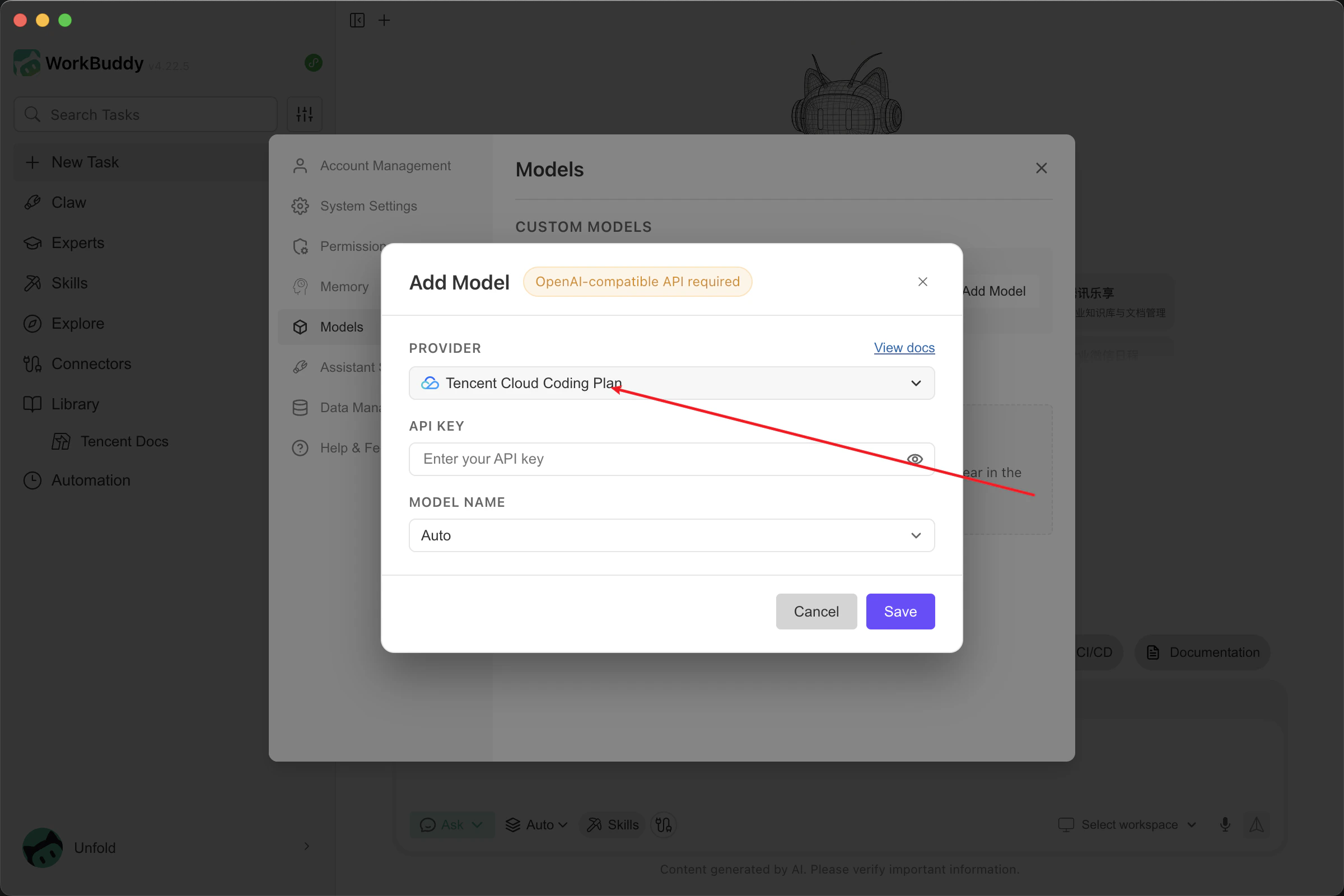
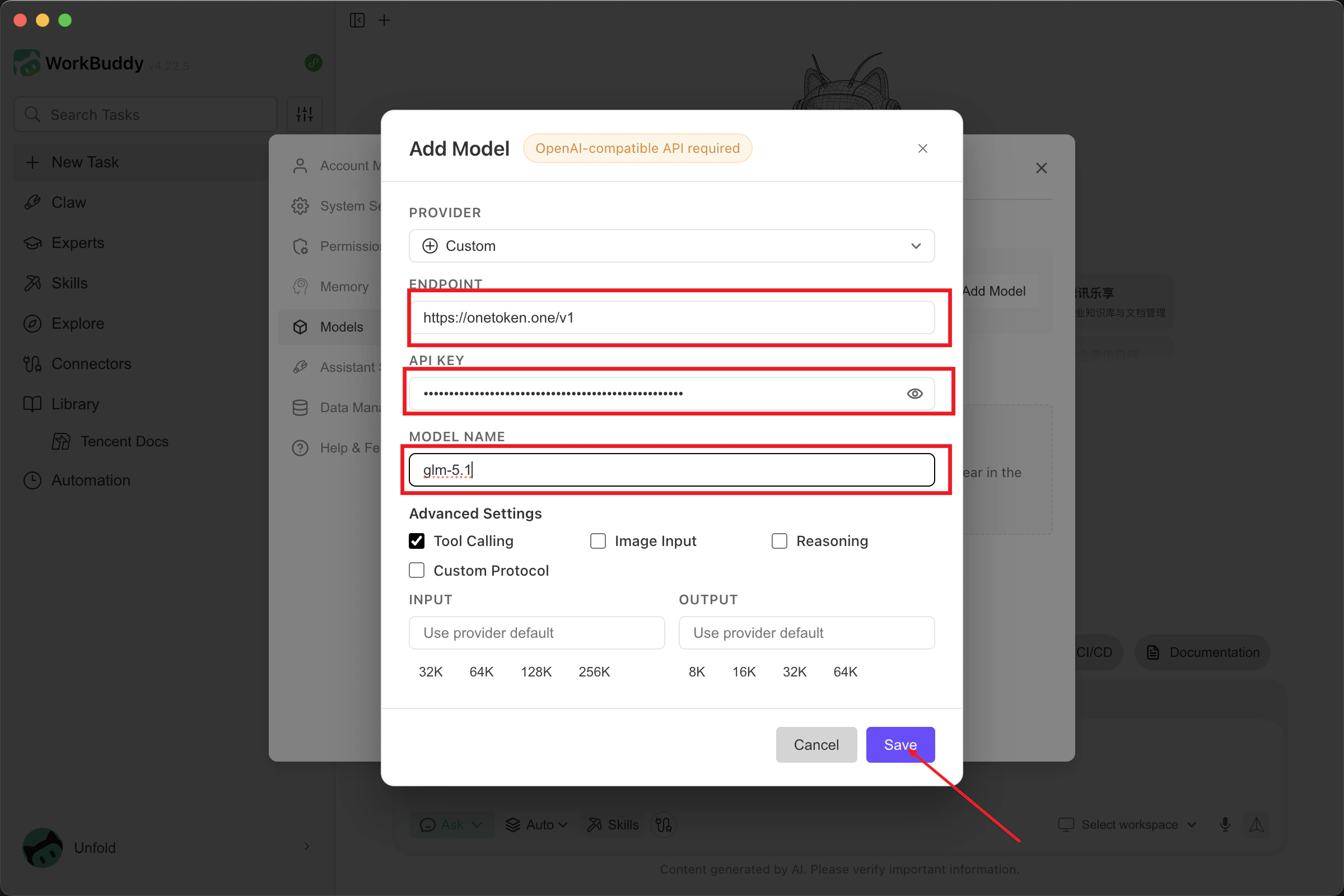
 3. Fill in the model information:
* **API Endpoint:** Enter `[https://onetoken.one/v1](https://onetoken.one/v1)`
* **API Key:** Use the API Key obtained from the [OneToken Platform](https://onetoken.one/console/token).
* **Model Name:** Enter a supported model name from the [Model List](https://onetoken.one/pricing).
* **Advanced Configuration:** Configure based on the capabilities of your chosen model.
Once completed, click **Save**.
3. Fill in the model information:
* **API Endpoint:** Enter `[https://onetoken.one/v1](https://onetoken.one/v1)`
* **API Key:** Use the API Key obtained from the [OneToken Platform](https://onetoken.one/console/token).
* **Model Name:** Enter a supported model name from the [Model List](https://onetoken.one/pricing).
* **Advanced Configuration:** Configure based on the capabilities of your chosen model.
Once completed, click **Save**.
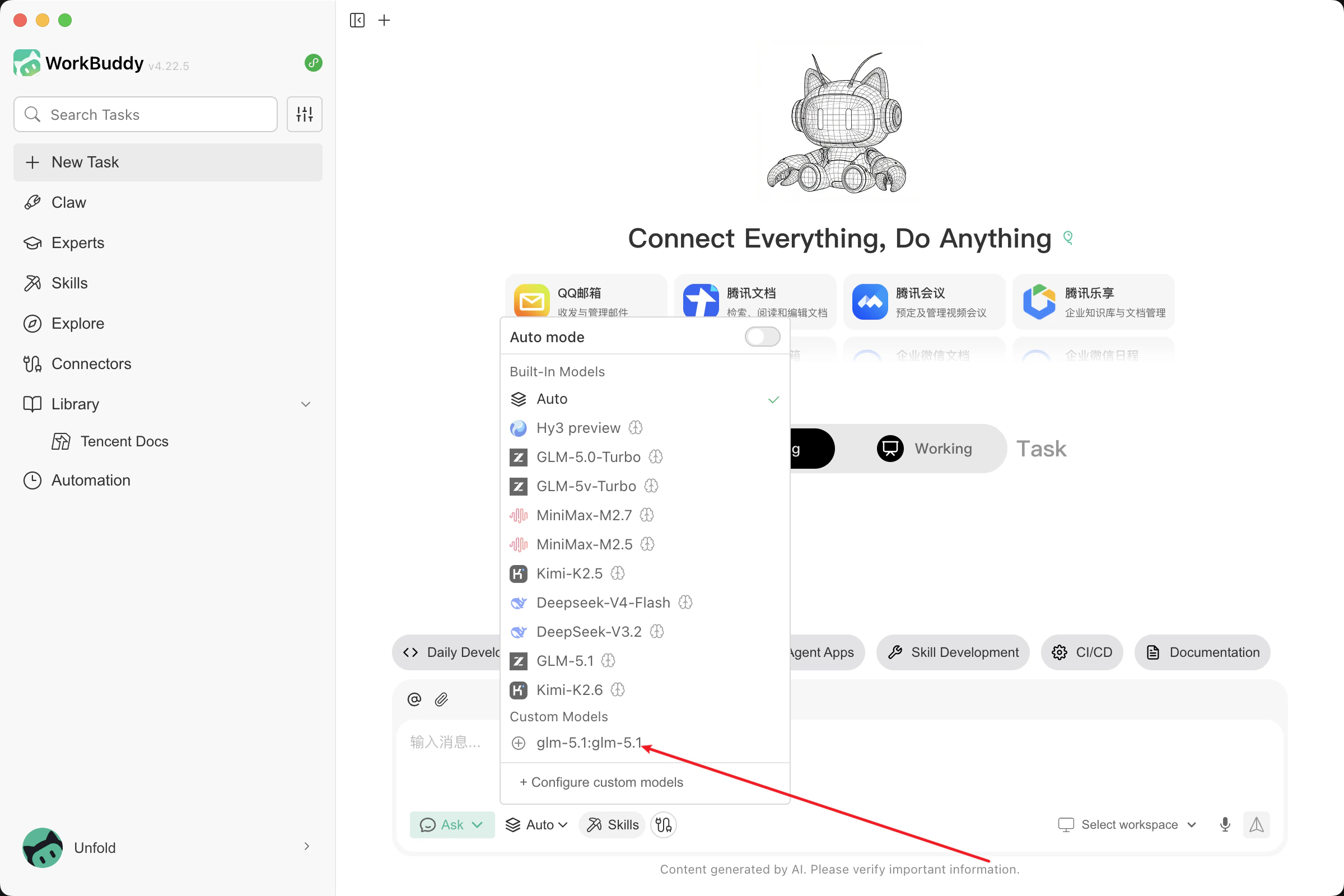
 4. Return to the main window, select the custom model you just added, and you are ready to go!