> ## Documentation Index
> Fetch the complete documentation index at: https://doc.onetoken.one/llms.txt
> Use this file to discover all available pages before exploring further.

# CherryStudio配置o4推理级别
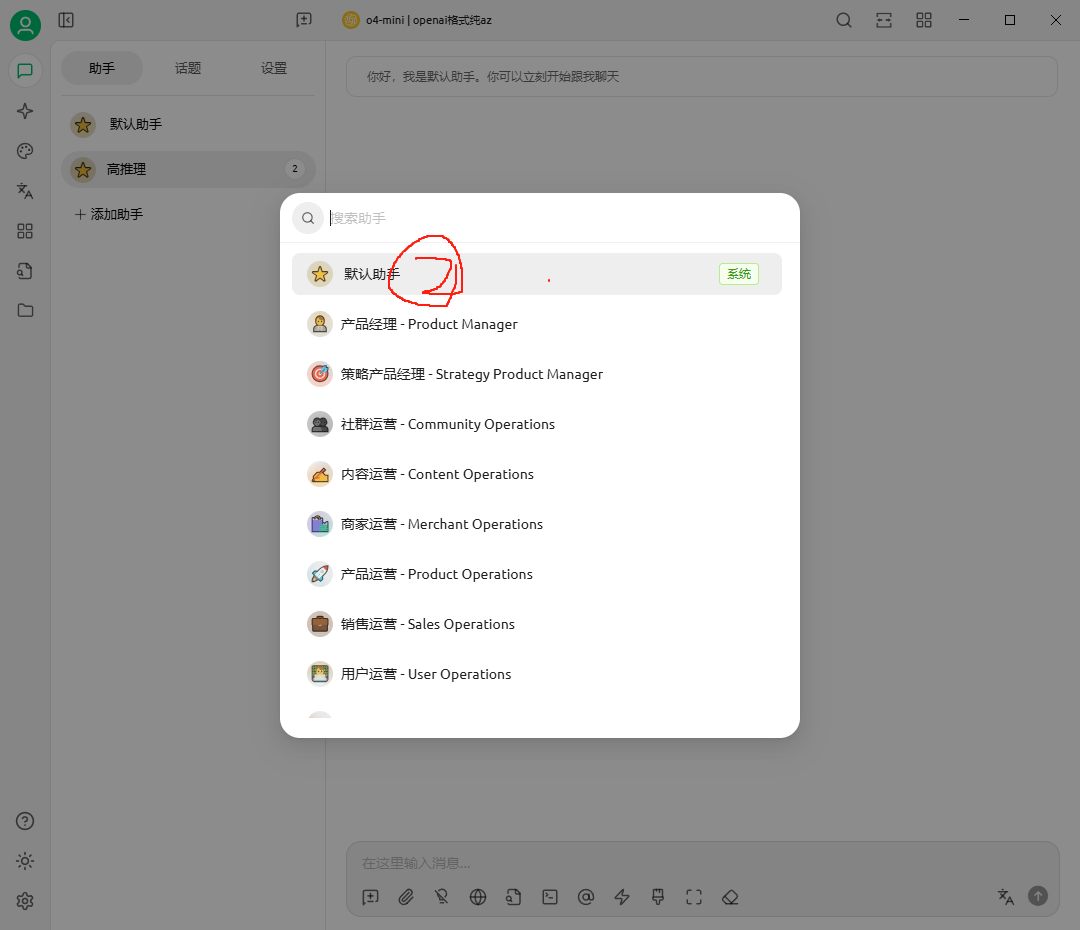
<img src="https://mintcdn.com/onetoken-9a3c590a/Y02IerIYTPVRQQ-L/images/CherryStudioO4/1.png?fit=max&auto=format&n=Y02IerIYTPVRQQ-L&q=85&s=4ab26b43a4e5eec651d84c55121ab33c" alt="image.png" width="1080" height="930" data-path="images/CherryStudioO4/1.png" />

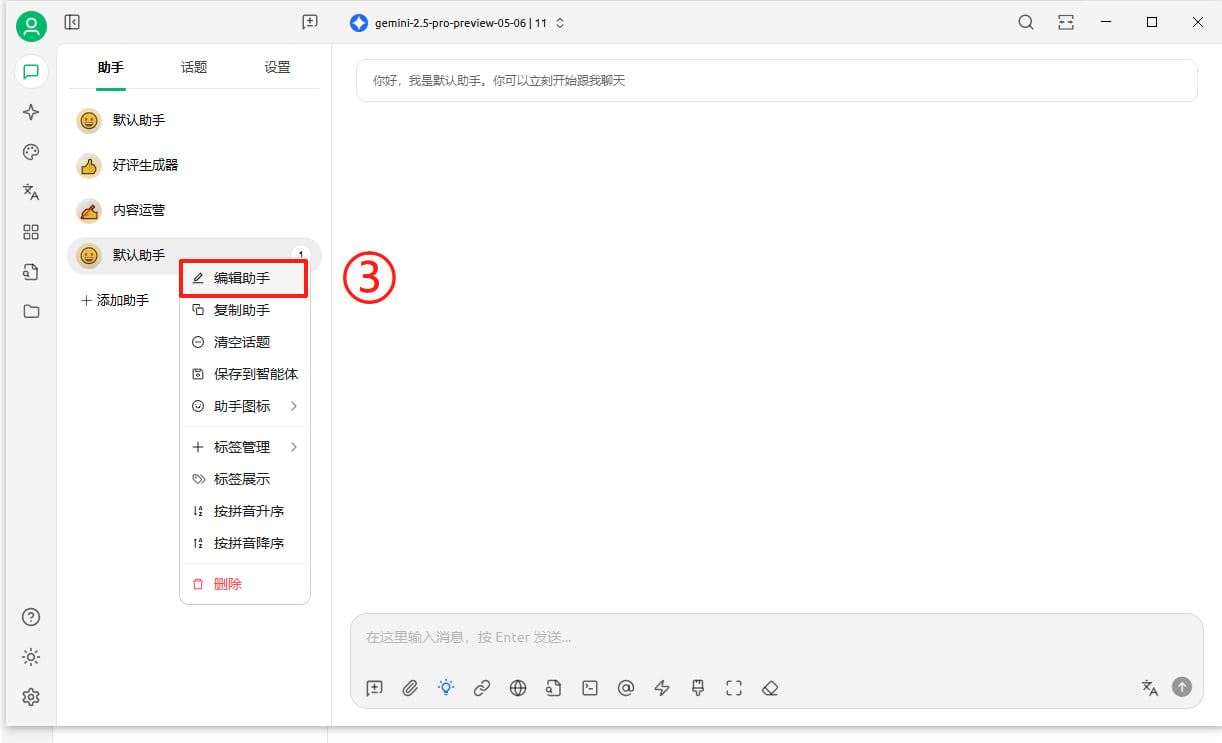
<img src="https://mintcdn.com/onetoken-9a3c590a/Y02IerIYTPVRQQ-L/images/CherryStudioO4/2.png?fit=max&auto=format&n=Y02IerIYTPVRQQ-L&q=85&s=7874841dd3d4cbf4499b9ed2999624e6" alt="image.png" width="1080" height="930" data-path="images/CherryStudioO4/2.png" />

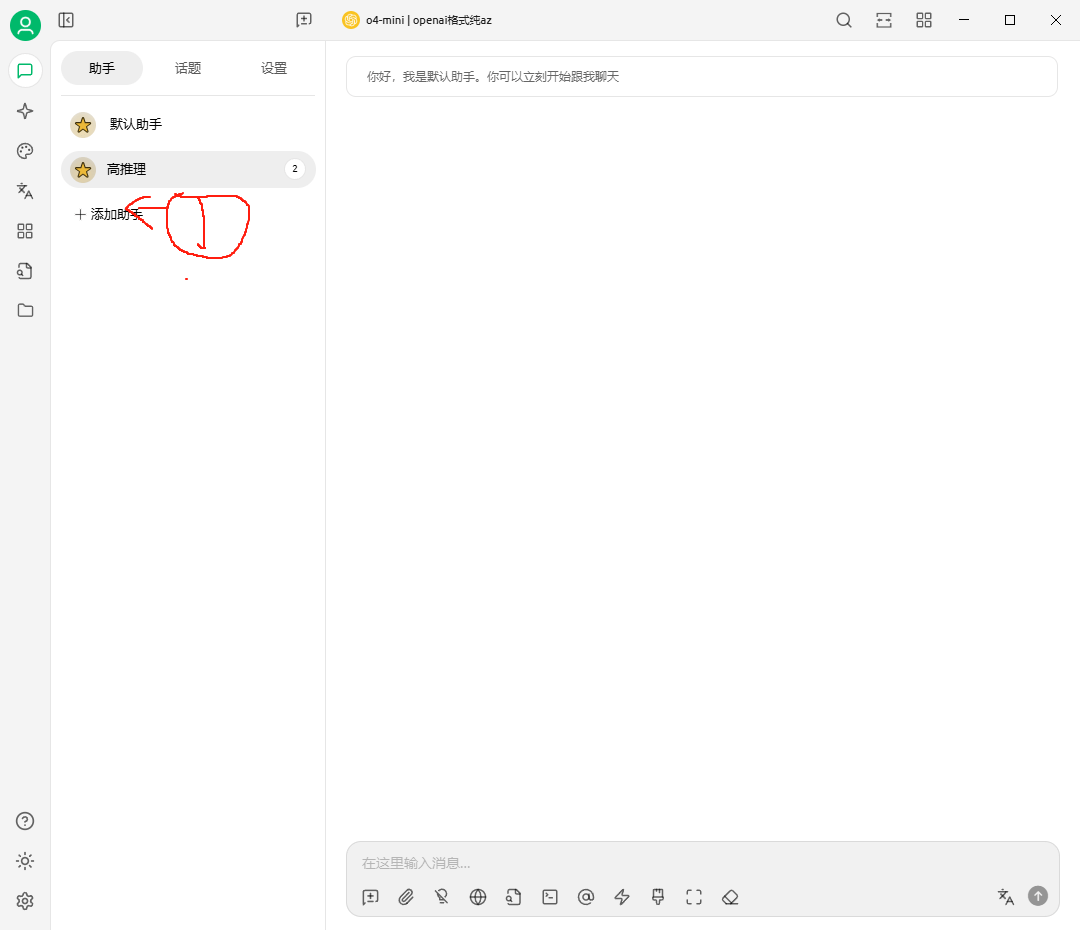
<img src="https://mintcdn.com/onetoken-9a3c590a/Y02IerIYTPVRQQ-L/images/CherryStudioO4/3.png?fit=max&auto=format&n=Y02IerIYTPVRQQ-L&q=85&s=c1a84a6fbcf36678f04b128e93ad0773" alt="image.png" width="1222" height="743" data-path="images/CherryStudioO4/3.png" />

## 配置额外参数 reasoning\_effort ,o系列模型目前支持的值为 low 、 medium 和 high
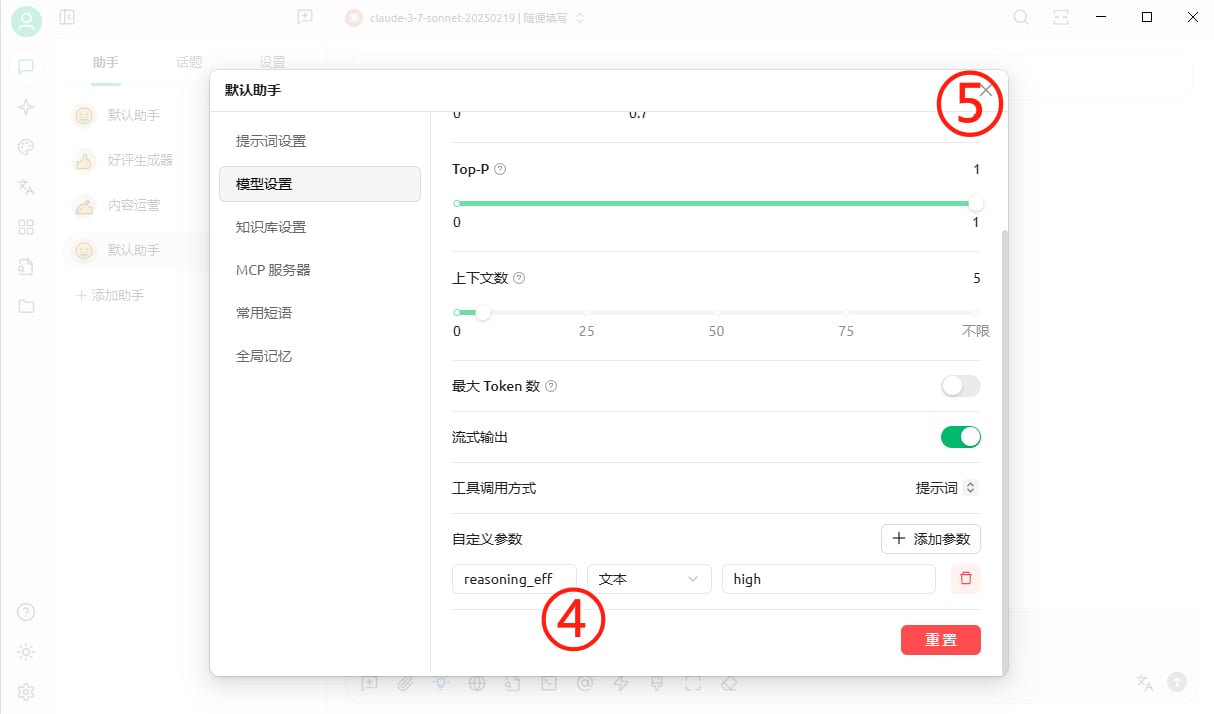
<img src="https://mintcdn.com/onetoken-9a3c590a/Y02IerIYTPVRQQ-L/images/CherryStudioO4/4.png?fit=max&auto=format&n=Y02IerIYTPVRQQ-L&q=85&s=3ccc357313184ad1a261c9308384b7ba" alt="image.png" width="1214" height="714" data-path="images/CherryStudioO4/4.png" />

## 然后就可以发起请求啦