> ## Documentation Index
> Fetch the complete documentation index at: https://doc.onetoken.one/llms.txt
> Use this file to discover all available pages before exploring further.

# Claude 桌面版

保持未登录状态（或先退出账号）

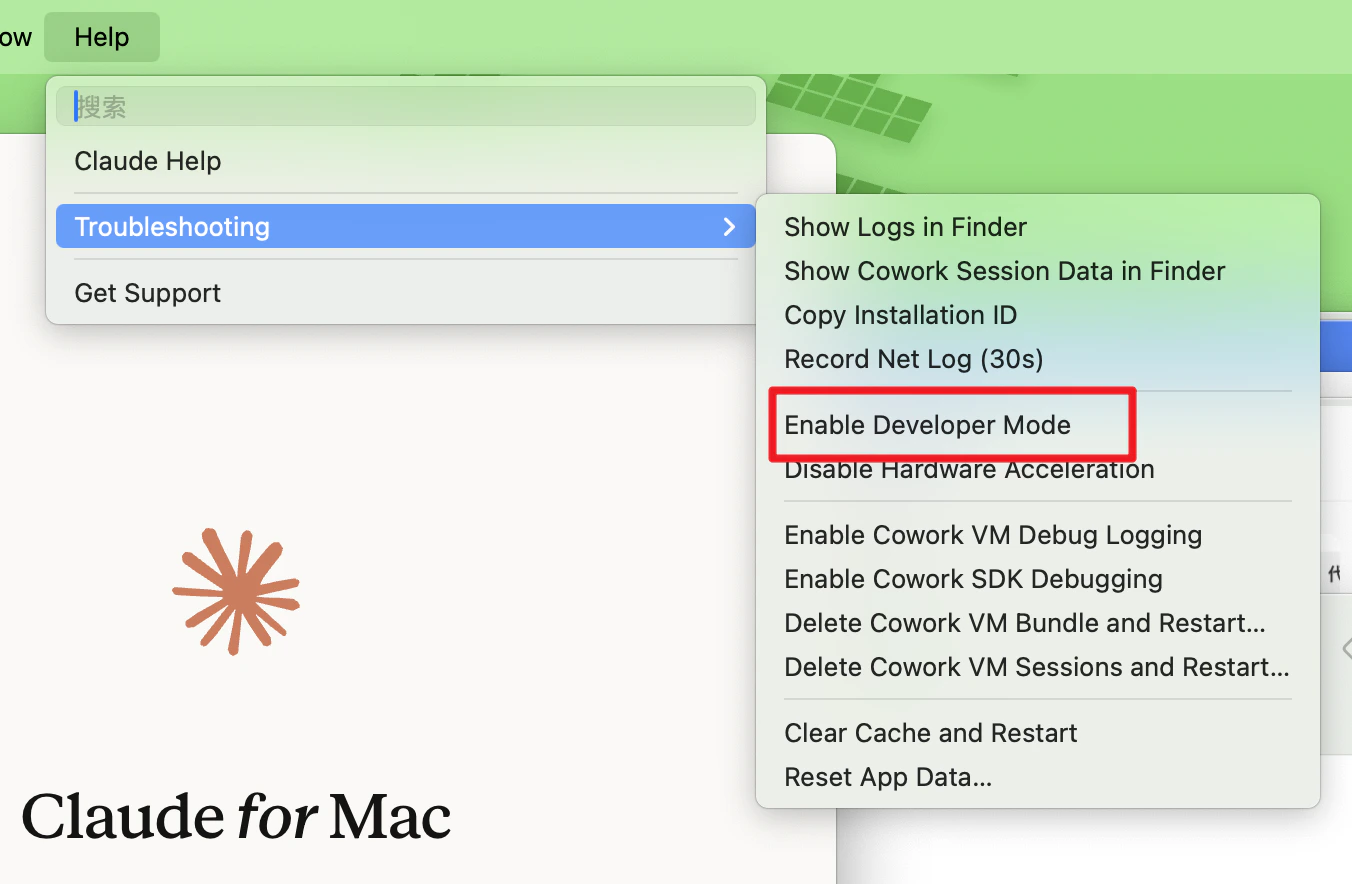
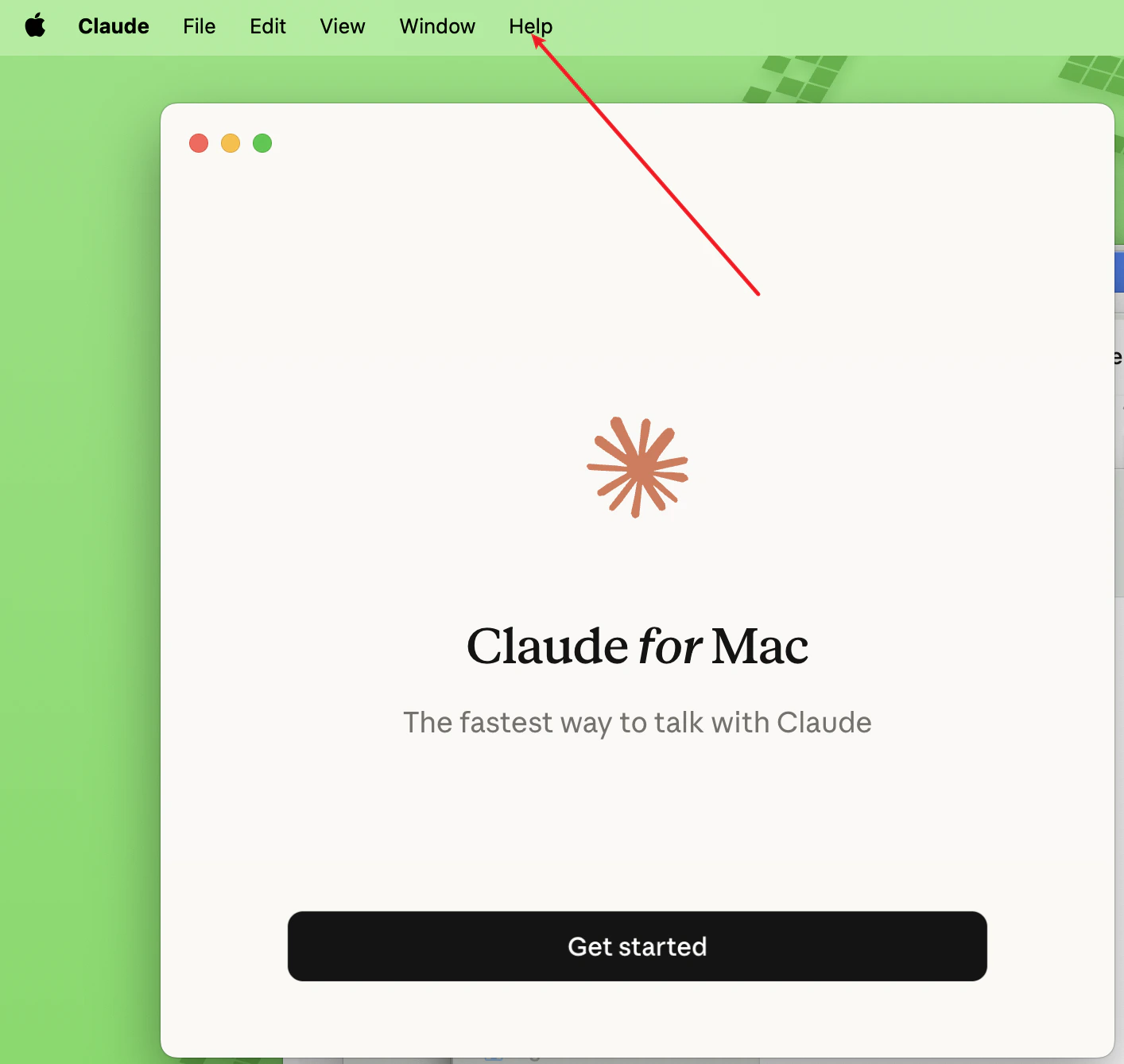
1. 点击菜单 → Help → Troubleshooting → Enable Developer Mode
<img src="https://mintcdn.com/onetoken-9a3c590a/aSDuaBUou8wCM3n7/images/claude/1.png?fit=max&auto=format&n=aSDuaBUou8wCM3n7&q=85&s=79ed06a91c56ab2f97e1c077174b260f" width="1414" height="1338" data-path="images/claude/1.png" />

<img src="https://mintcdn.com/onetoken-9a3c590a/aSDuaBUou8wCM3n7/images/claude/2.png?fit=max&auto=format&n=aSDuaBUou8wCM3n7&q=85&s=9ac5abec65aca163bf104479e62e8ee3" width="1352" height="884" data-path="images/claude/2.png" />

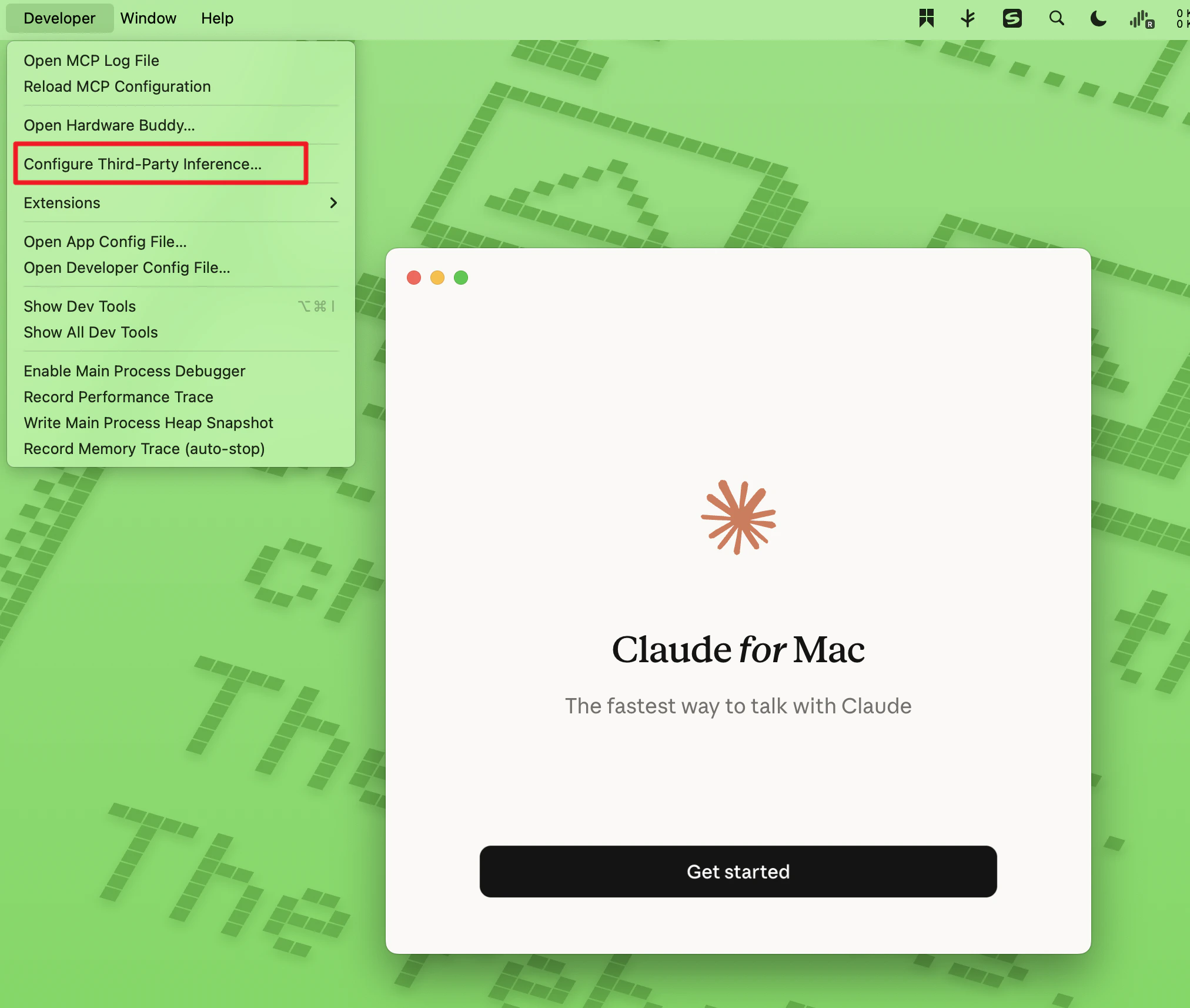
2. 经过第一步的操作后菜单栏会多出一个 Developer 菜单， 点击 Configure Third-Party Inference

<img src="https://mintcdn.com/onetoken-9a3c590a/aSDuaBUou8wCM3n7/images/claude/3.png?fit=max&auto=format&n=aSDuaBUou8wCM3n7&q=85&s=c008610d1a8b298498e190ded32f52cc" width="2024" height="1714" data-path="images/claude/3.png" />

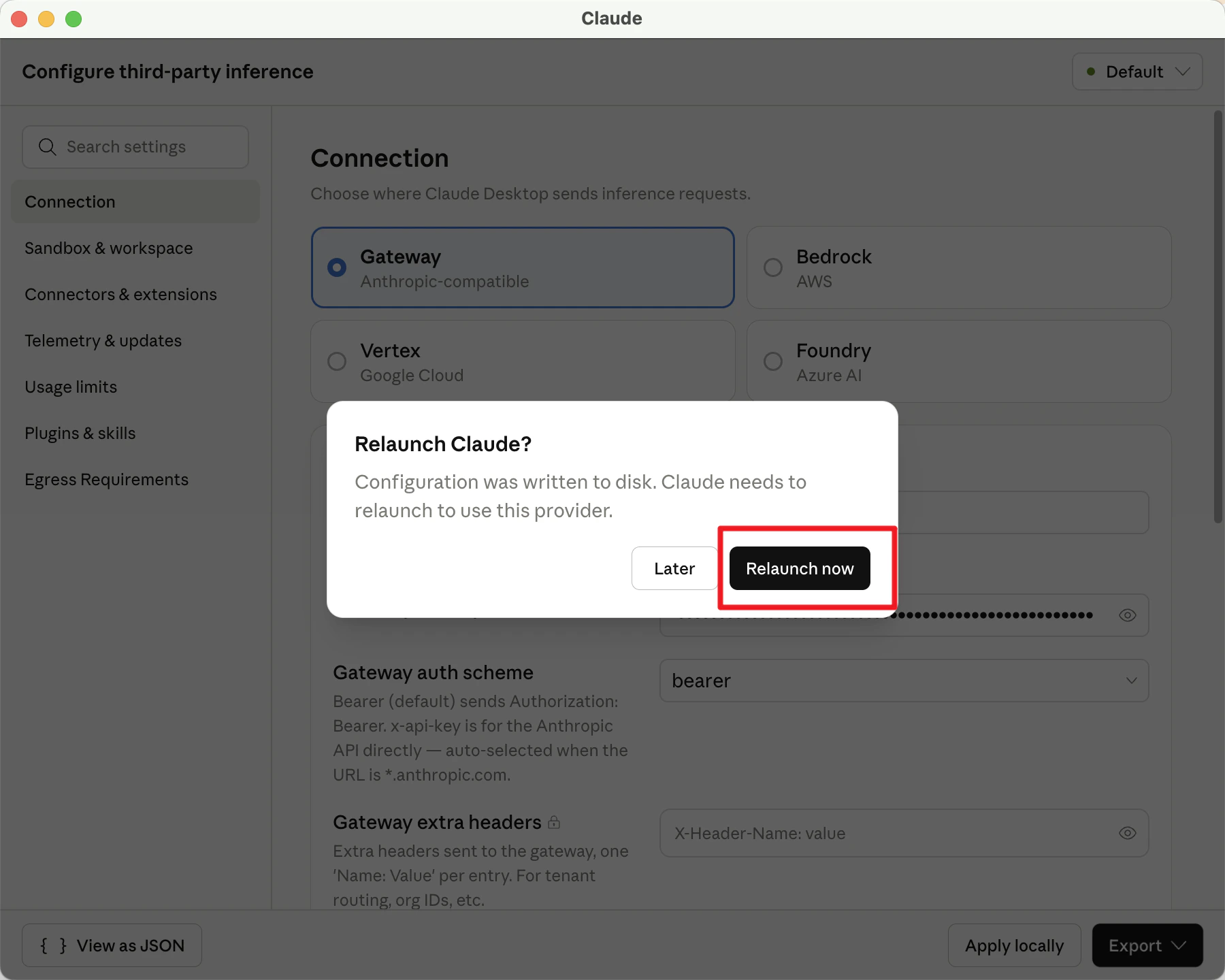
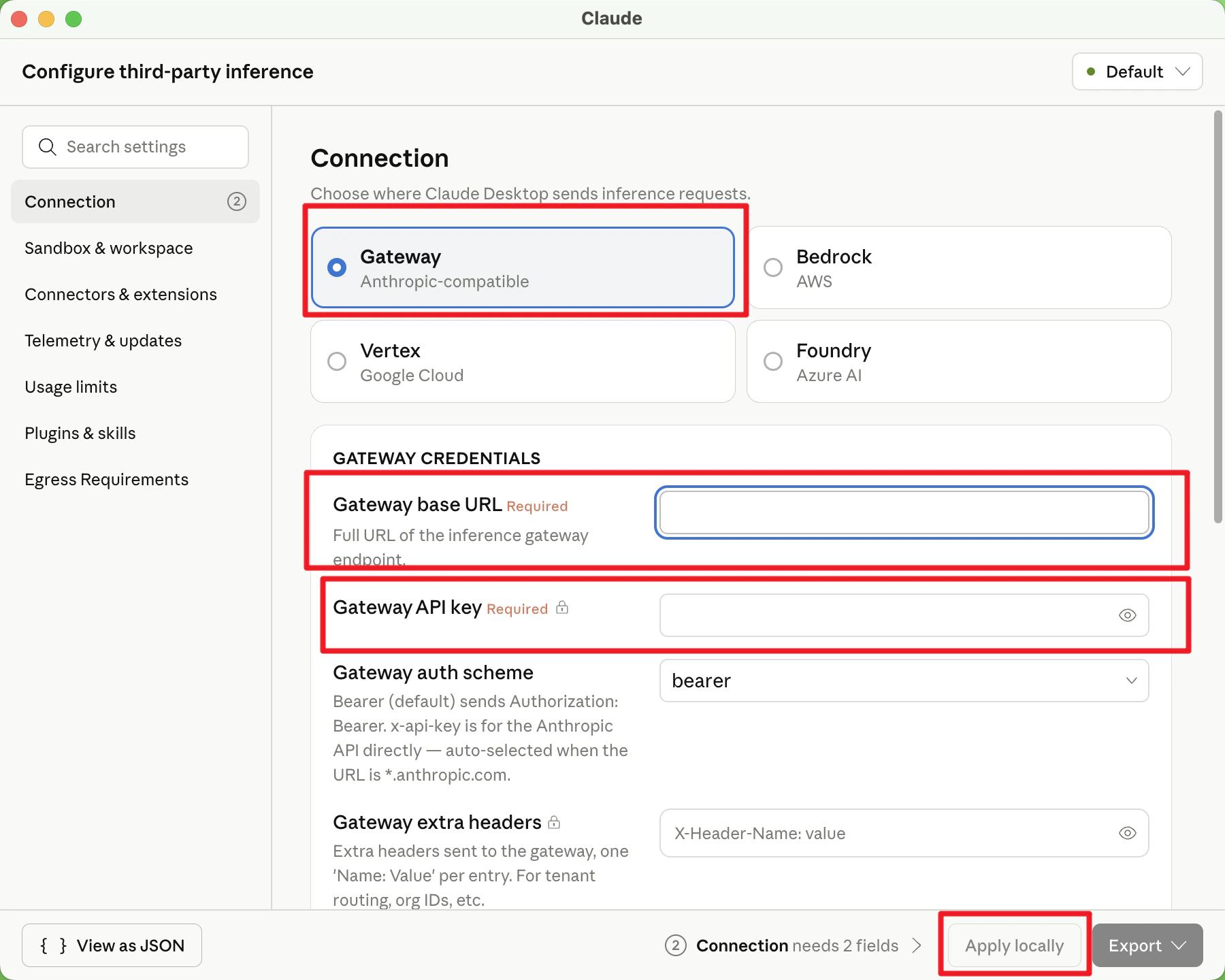
3. 默认选择 Gateway 填写

* Gateway base URL: [https://onetoken.one/](https://onetoken.one/)
* Gateway API key [Onetoken 平台](https://onetoken.one/console/token) 获取的 API Key

其他不用动 点击 apply locally , 弹窗点击 relaunch now
<img src="https://mintcdn.com/onetoken-9a3c590a/aSDuaBUou8wCM3n7/images/claude/4.png?fit=max&auto=format&n=aSDuaBUou8wCM3n7&q=85&s=c02b22e822e60b397b8746ccbe130549" width="1800" height="1440" data-path="images/claude/4.png" />

<img src="https://mintcdn.com/onetoken-9a3c590a/aSDuaBUou8wCM3n7/images/claude/5.png?fit=max&auto=format&n=aSDuaBUou8wCM3n7&q=85&s=8745d347e864899235794316e4934f49" width="1800" height="1440" data-path="images/claude/5.png" />

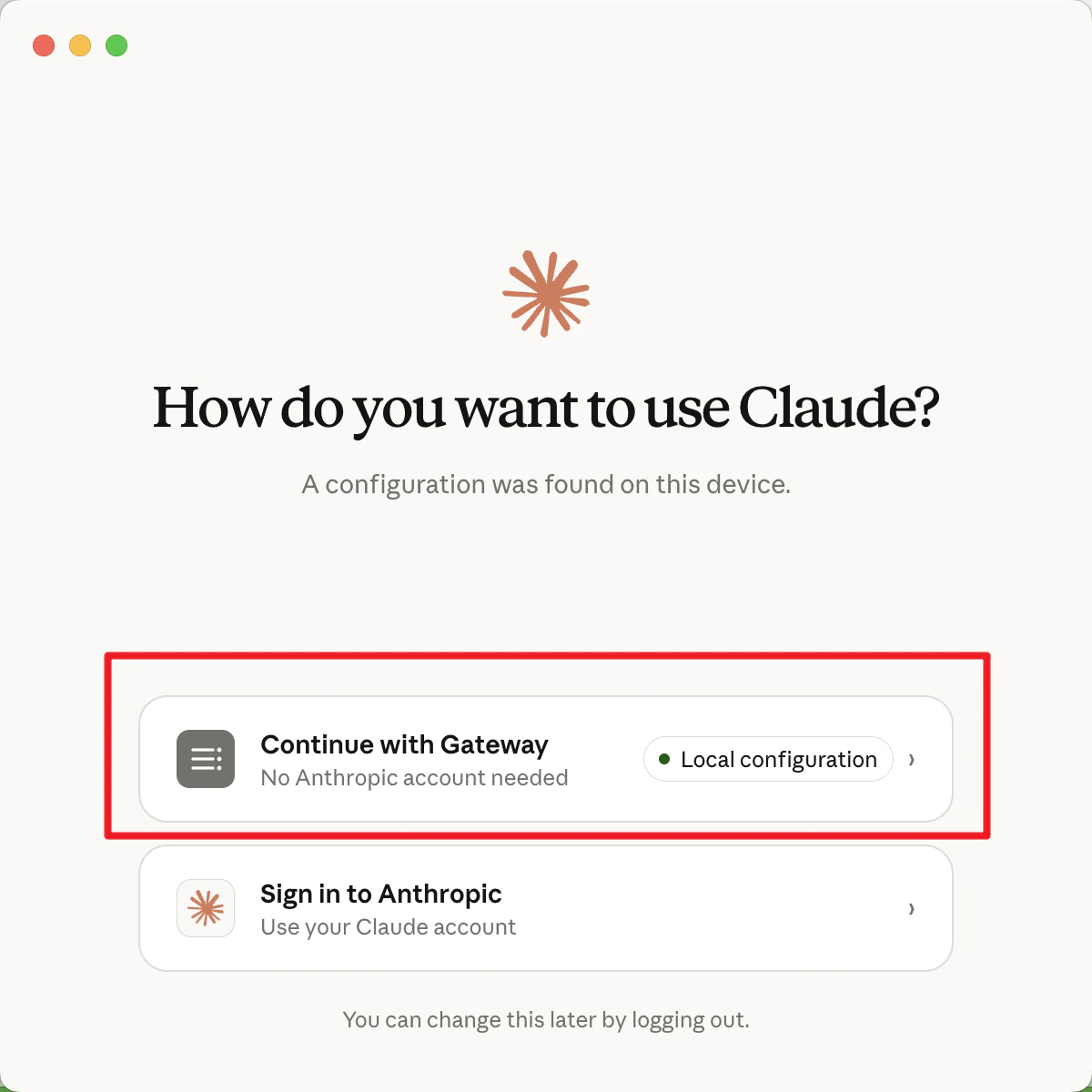
4. 点击 Continue with Gateway

<img src="https://mintcdn.com/onetoken-9a3c590a/aSDuaBUou8wCM3n7/images/claude/6.png?fit=max&auto=format&n=aSDuaBUou8wCM3n7&q=85&s=fb80efa71b5c9acdc43bcc7bd8539025" width="1200" height="1200" data-path="images/claude/6.png" />

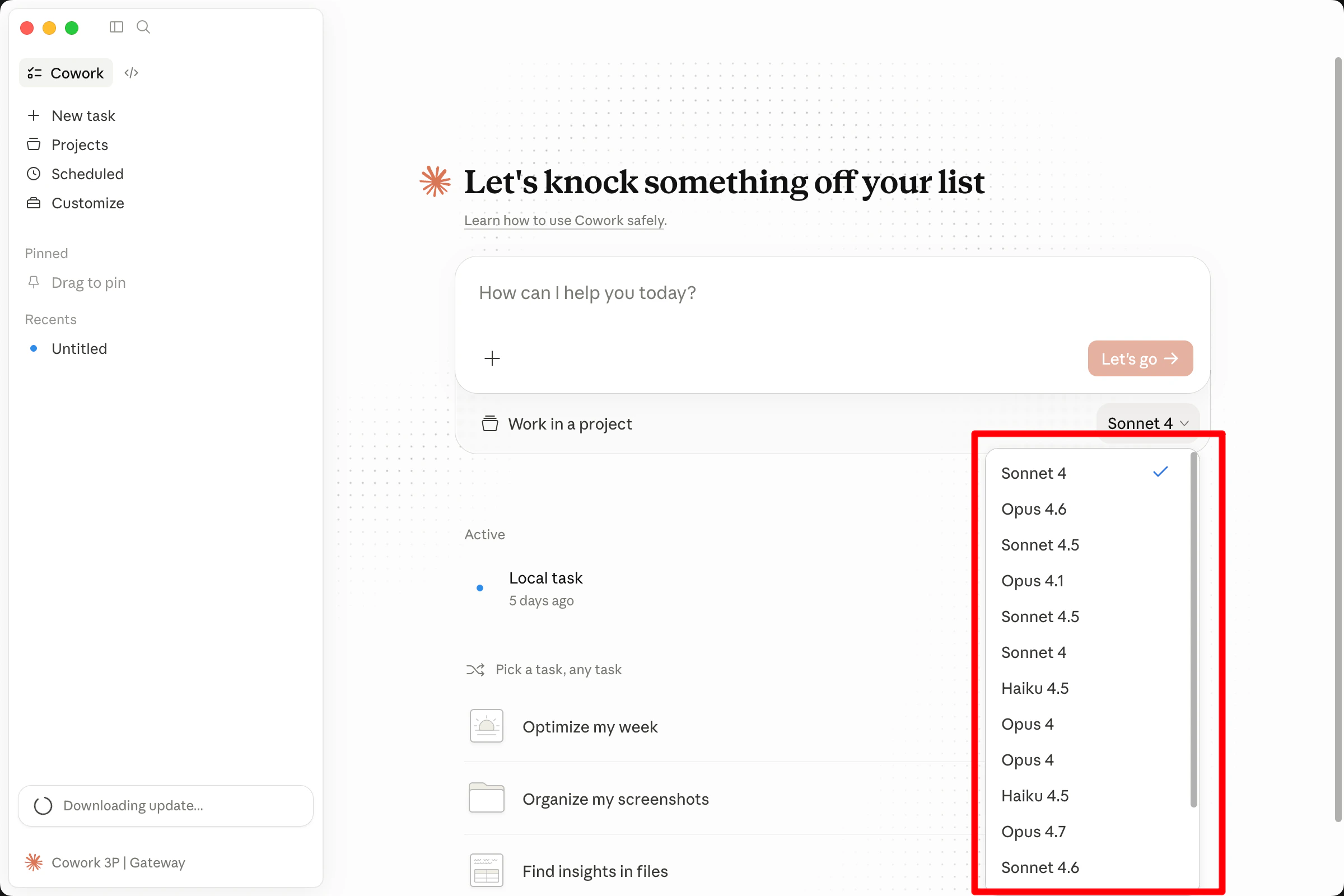
5. 对话框下方选择要使用的模型，即可开始使用

<img src="https://mintcdn.com/onetoken-9a3c590a/AEk2KIyiPF9PD-Zi/images/claude/7.png?fit=max&auto=format&n=AEk2KIyiPF9PD-Zi&q=85&s=17506df3139e62dd2d6445a482dddc6b" width="2400" height="1600" data-path="images/claude/7.png" />