> ## Documentation Index
> Fetch the complete documentation index at: https://doc.onetoken.one/llms.txt
> Use this file to discover all available pages before exploring further.

# Coze 配置教程

## coze 工作流使用中转API 教程

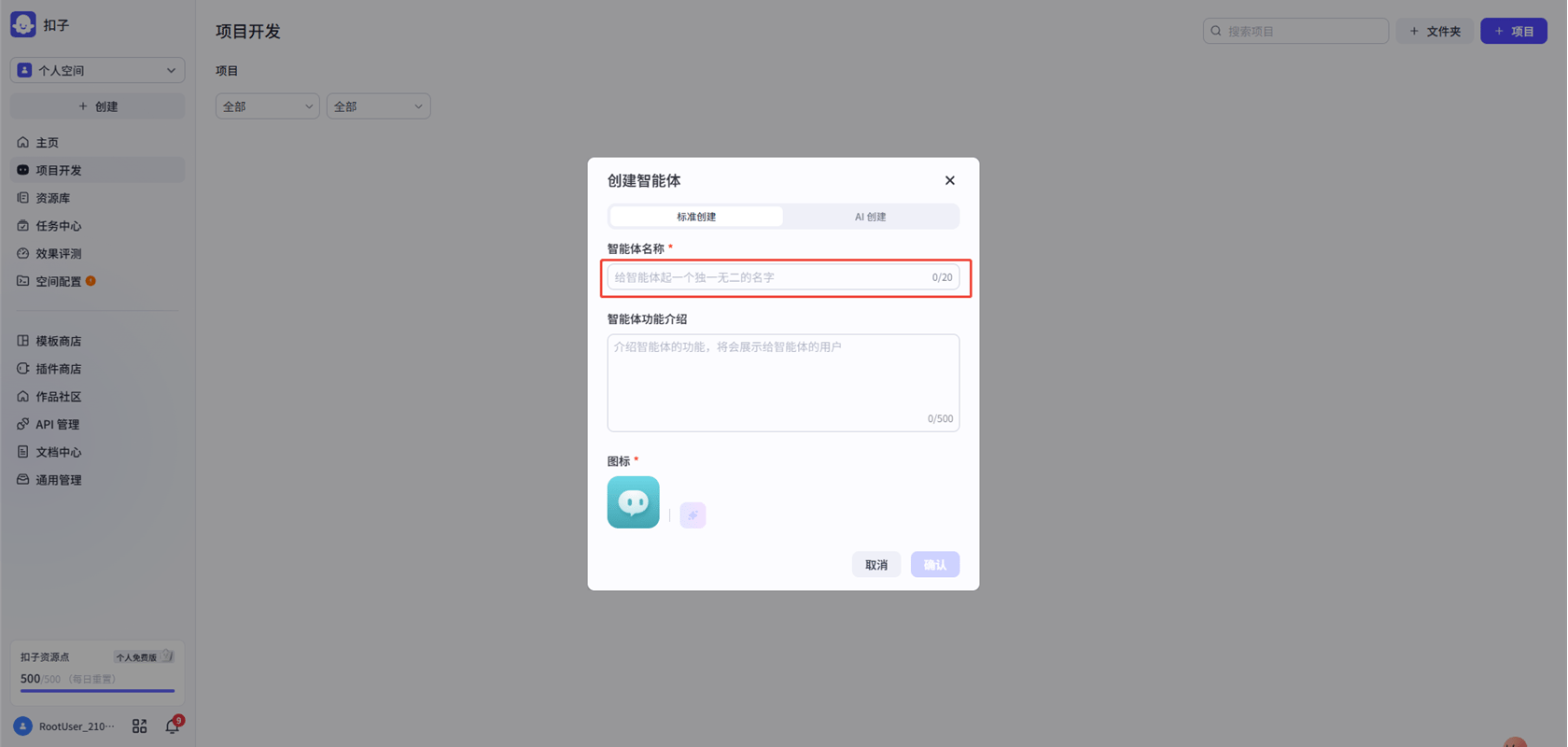
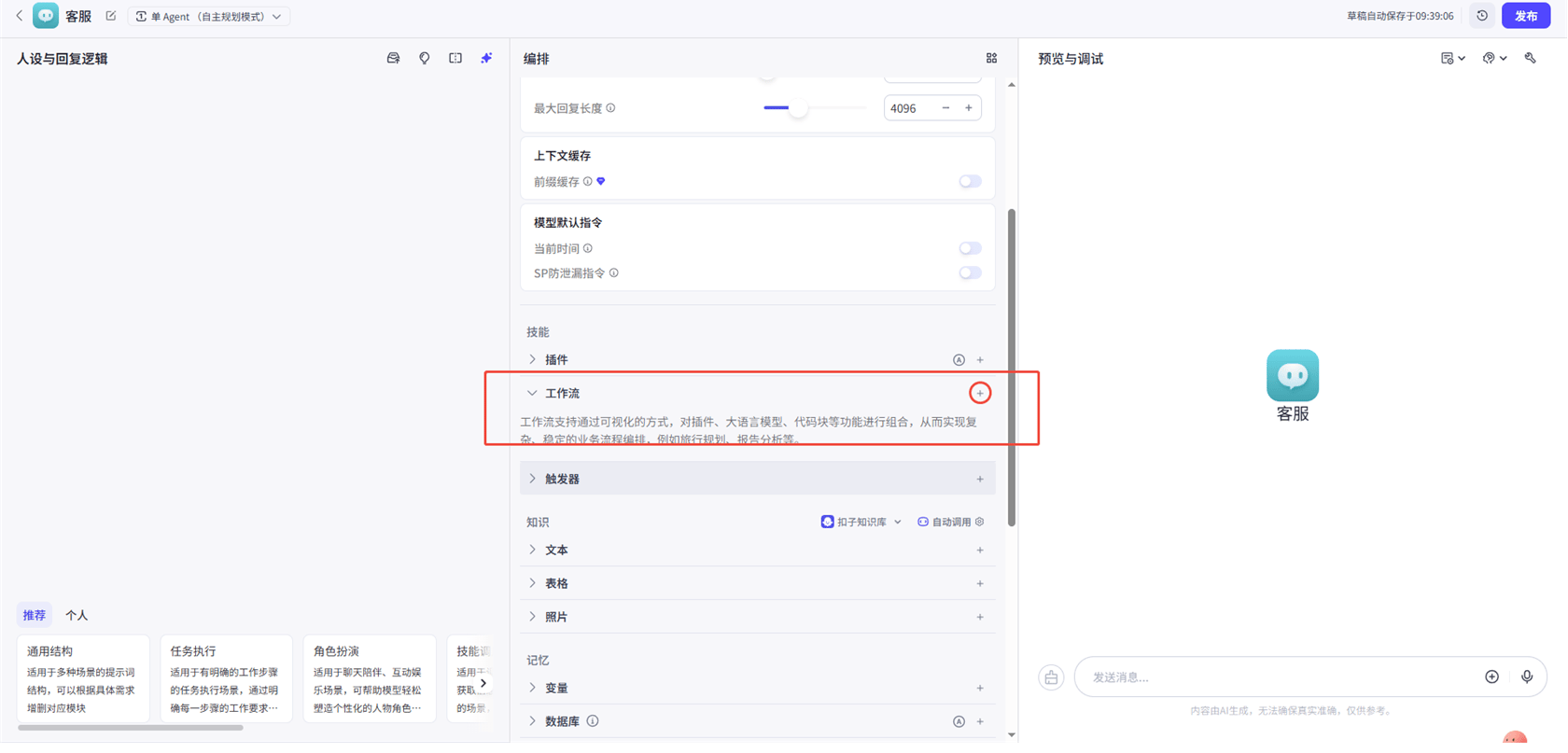
**1.创建一个新的项目**
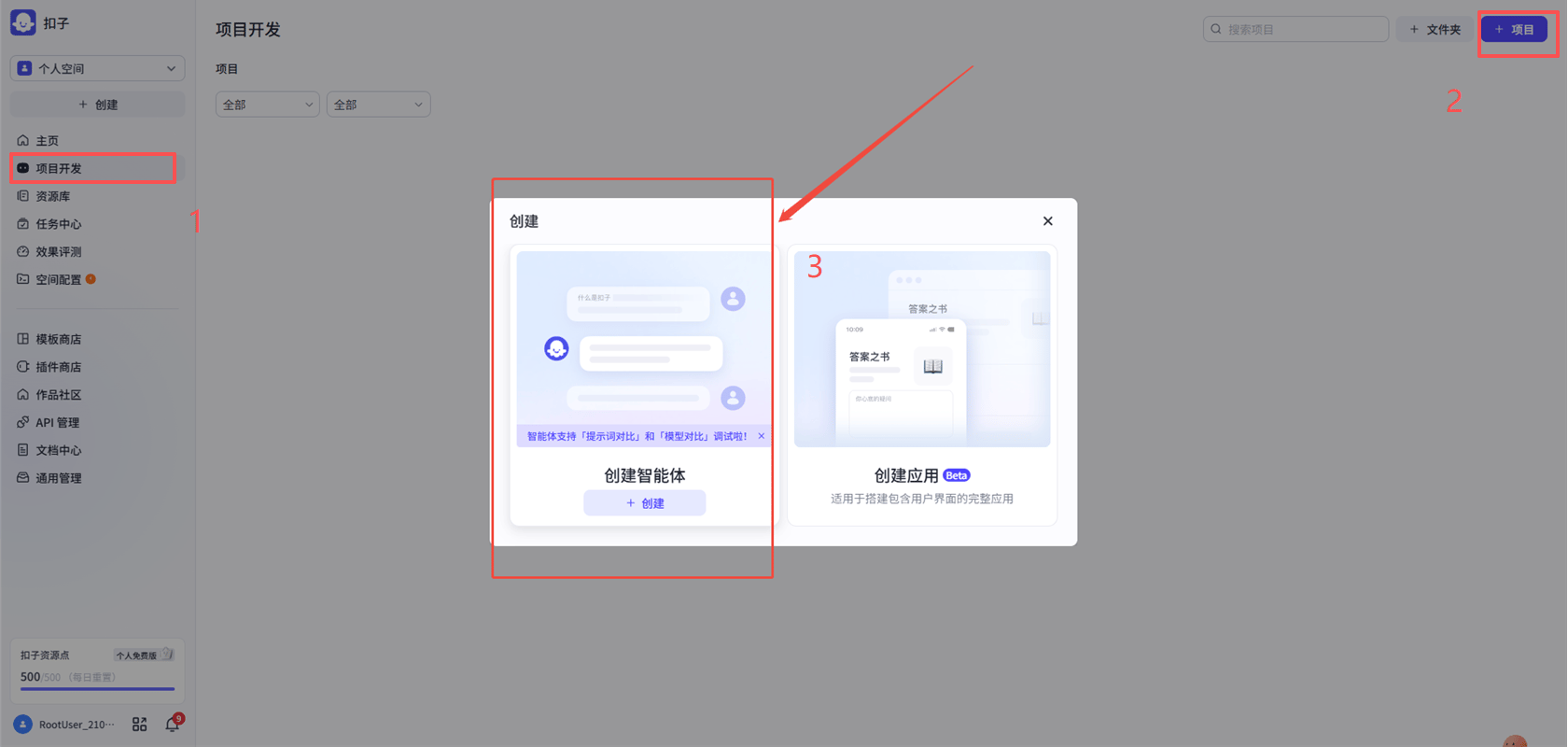
<img src="https://mintcdn.com/onetoken-9a3c590a/Y02IerIYTPVRQQ-L/images/Coze/1.png?fit=max&auto=format&n=Y02IerIYTPVRQQ-L&q=85&s=116787078a2a812fb30732fb0b3434a4" alt="image.png" width="1680" height="800" data-path="images/Coze/1.png" />

<img src="https://mintcdn.com/onetoken-9a3c590a/Y02IerIYTPVRQQ-L/images/Coze/2.png?fit=max&auto=format&n=Y02IerIYTPVRQQ-L&q=85&s=fdabf13fe7f0162db5a0bfba2ea57368" alt="image.png" width="1680" height="800" data-path="images/Coze/2.png" />

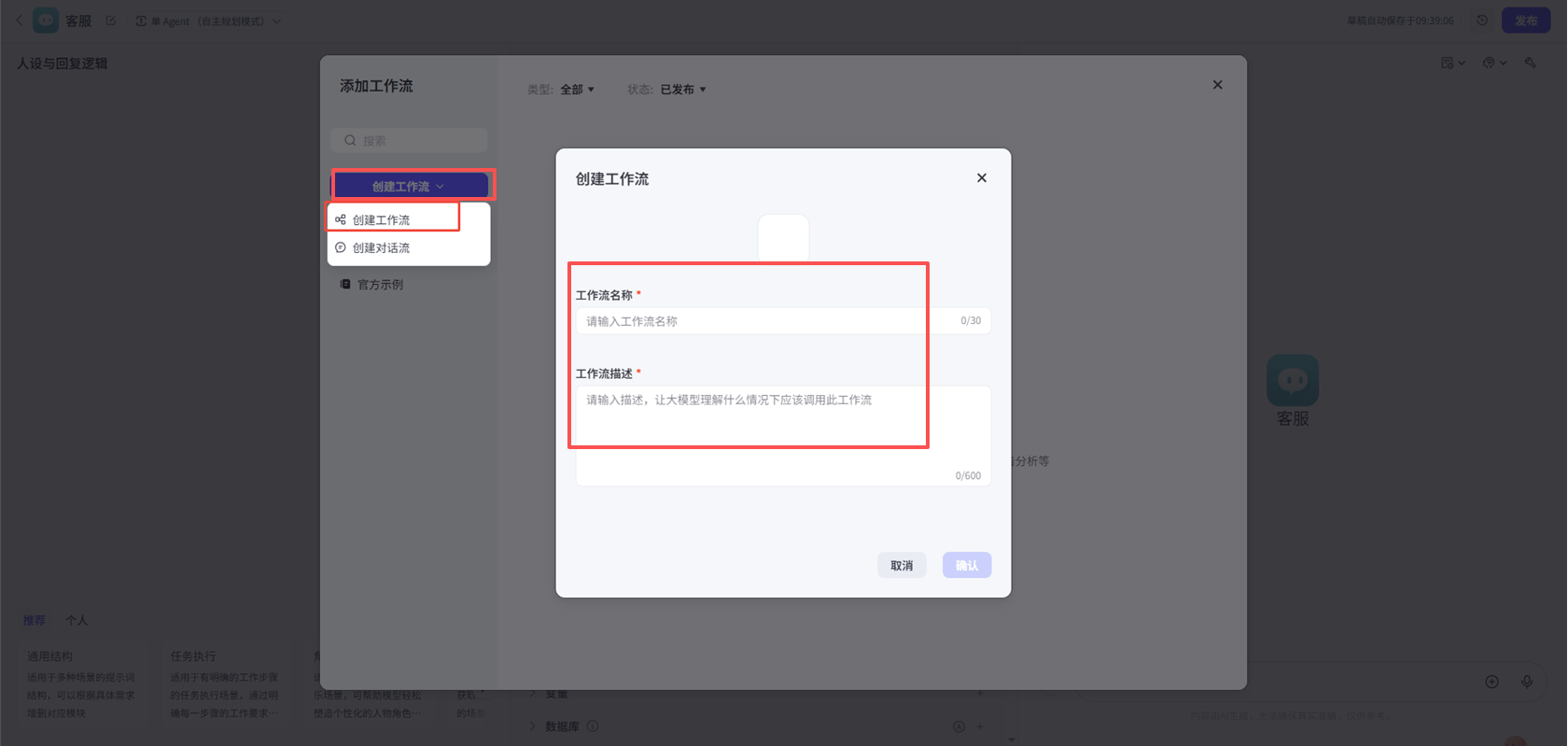
**2.建立一个新的工作流**

<img src="https://mintcdn.com/onetoken-9a3c590a/Y02IerIYTPVRQQ-L/images/Coze/3.png?fit=max&auto=format&n=Y02IerIYTPVRQQ-L&q=85&s=2ff676f6fba8fd92a2731e2cfa278184" alt="image.png" width="1680" height="807" data-path="images/Coze/3.png" />

<img src="https://mintcdn.com/onetoken-9a3c590a/Y02IerIYTPVRQQ-L/images/Coze/4.png?fit=max&auto=format&n=Y02IerIYTPVRQQ-L&q=85&s=b7c15f8e123dc2d5b9adb6d73d0d2757" alt="image.png" width="1680" height="799" data-path="images/Coze/4.png" />

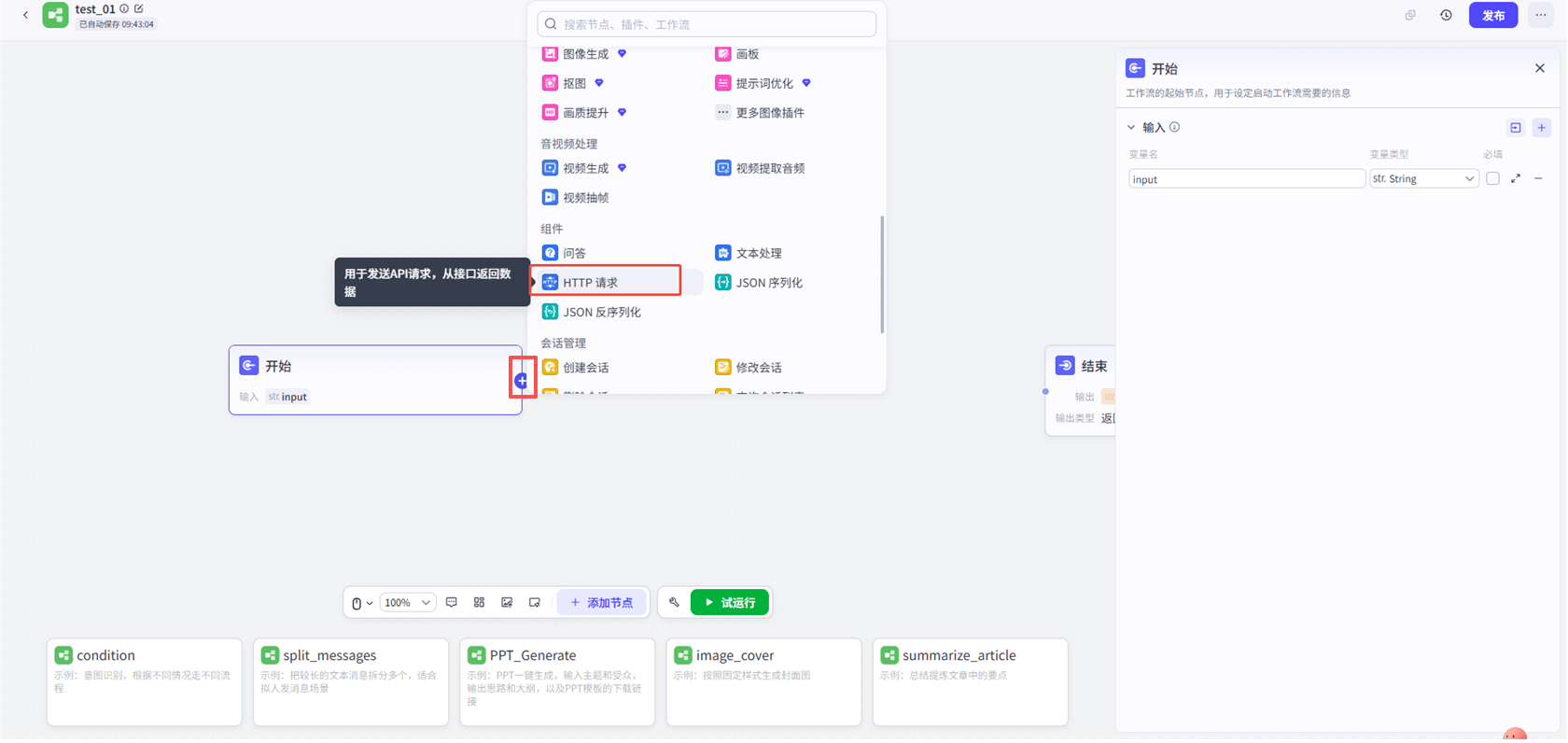
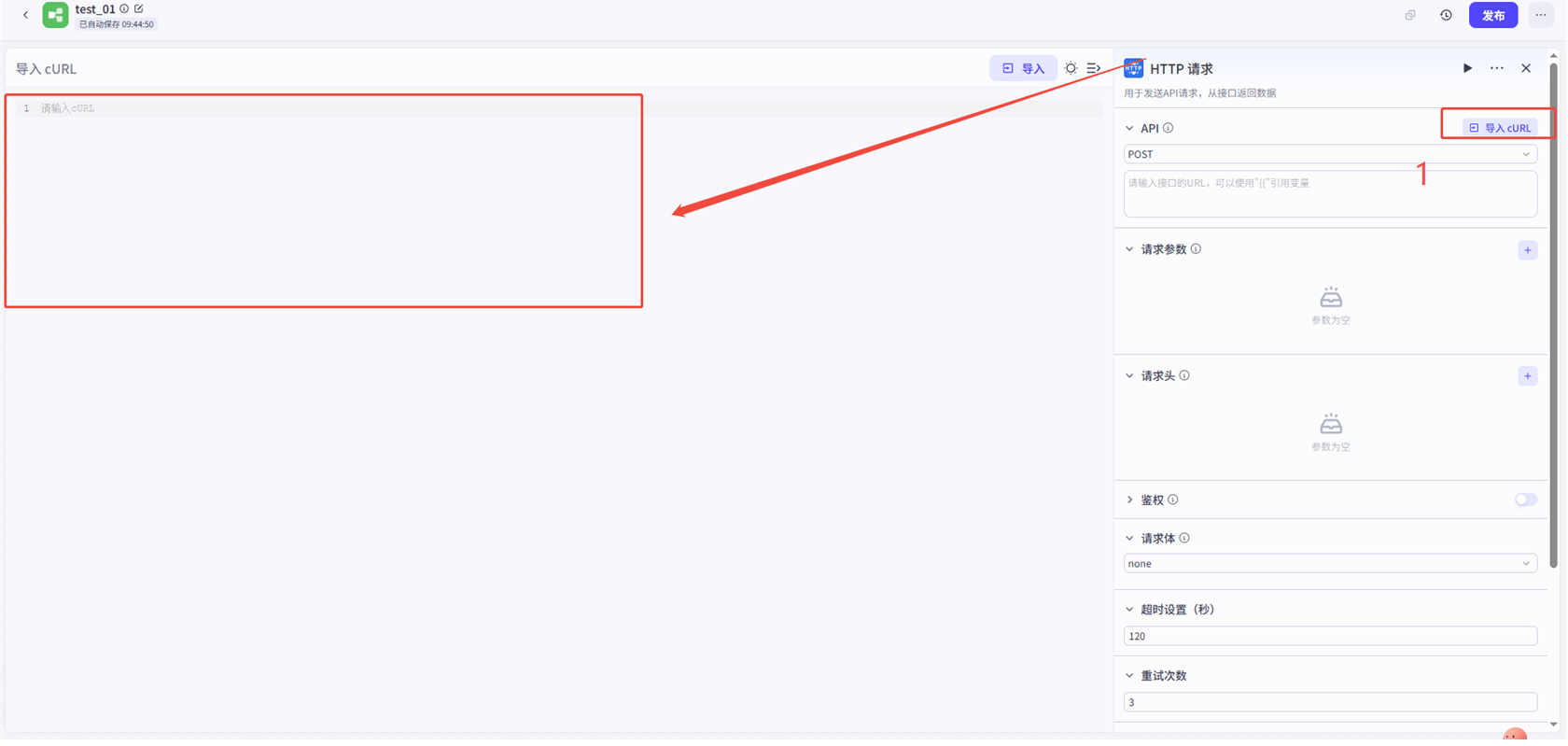
**3.添加http请求**

<img src="https://mintcdn.com/onetoken-9a3c590a/Y02IerIYTPVRQQ-L/images/Coze/5.png?fit=max&auto=format&n=Y02IerIYTPVRQQ-L&q=85&s=ef82a997c5a8928347918f2dd16498ce" alt="image.png" width="1680" height="796" data-path="images/Coze/5.png" />

<img src="https://mintcdn.com/onetoken-9a3c590a/Y02IerIYTPVRQQ-L/images/Coze/6.png?fit=max&auto=format&n=Y02IerIYTPVRQQ-L&q=85&s=b1811e04603372c9598a74df5cb03709" alt="image.png" width="1680" height="799" data-path="images/Coze/6.png" />

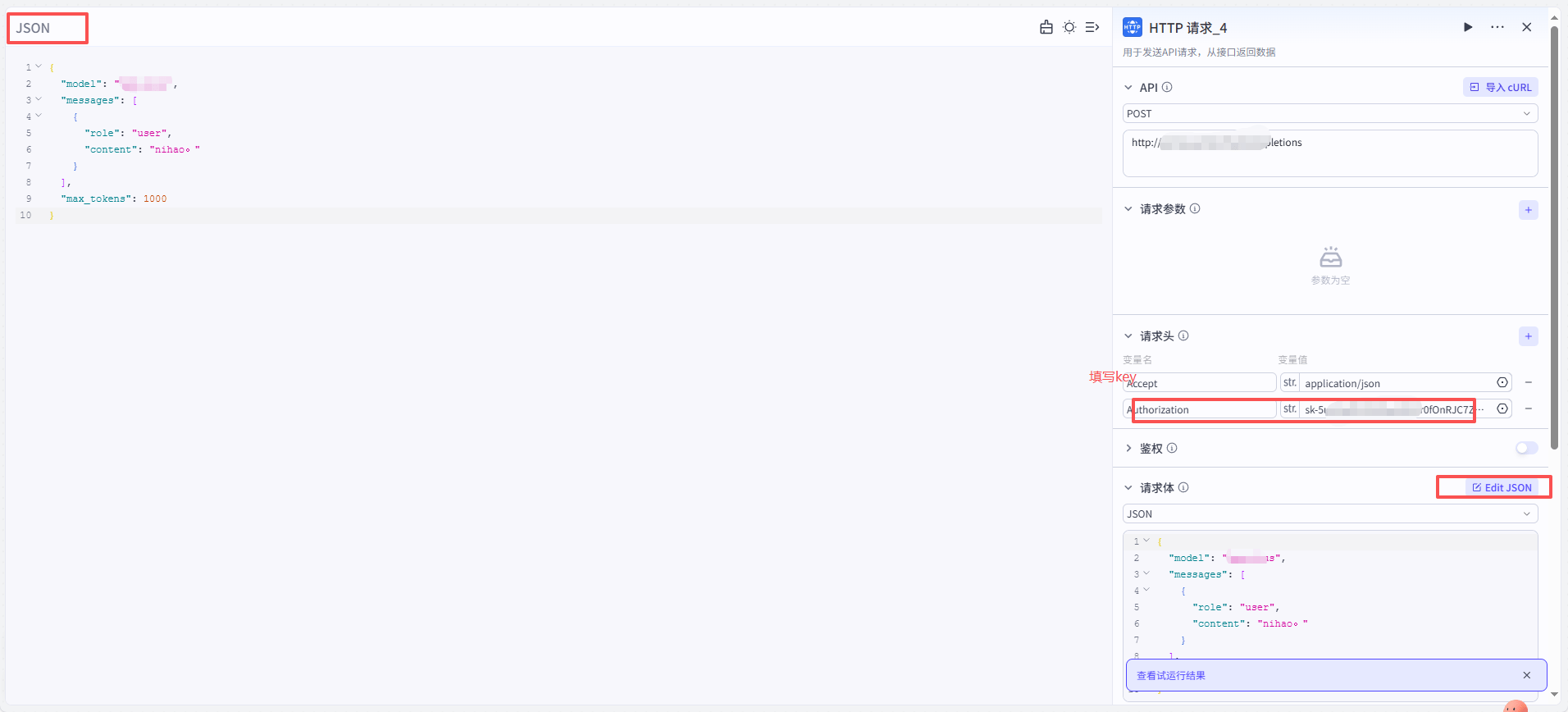
**4.填写内容**
url填[http://onetoken.one/v1/chat/completions](http://onetoken.one/v1/chat/completions)
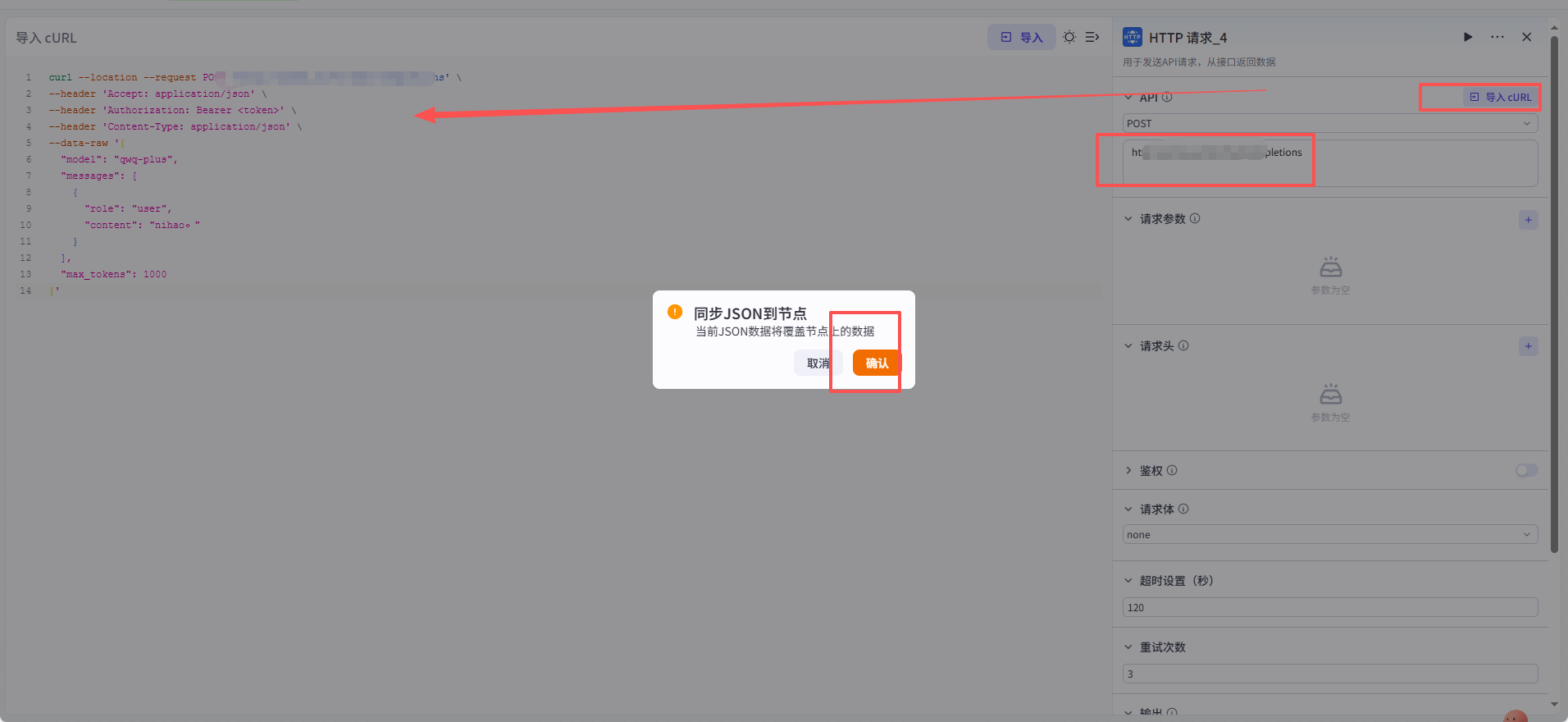
<img src="https://mintcdn.com/onetoken-9a3c590a/Y02IerIYTPVRQQ-L/images/Coze/7.png?fit=max&auto=format&n=Y02IerIYTPVRQQ-L&q=85&s=8bfcb721146a00a0546cf321684e4360" alt="image.png" width="1912" height="880" data-path="images/Coze/7.png" />

填写key

<img src="https://mintcdn.com/onetoken-9a3c590a/Y02IerIYTPVRQQ-L/images/Coze/8.png?fit=max&auto=format&n=Y02IerIYTPVRQQ-L&q=85&s=c2f96b638148ddd3c5bdecb028da5d3a" alt="image.png" width="1912" height="868" data-path="images/Coze/8.png" />

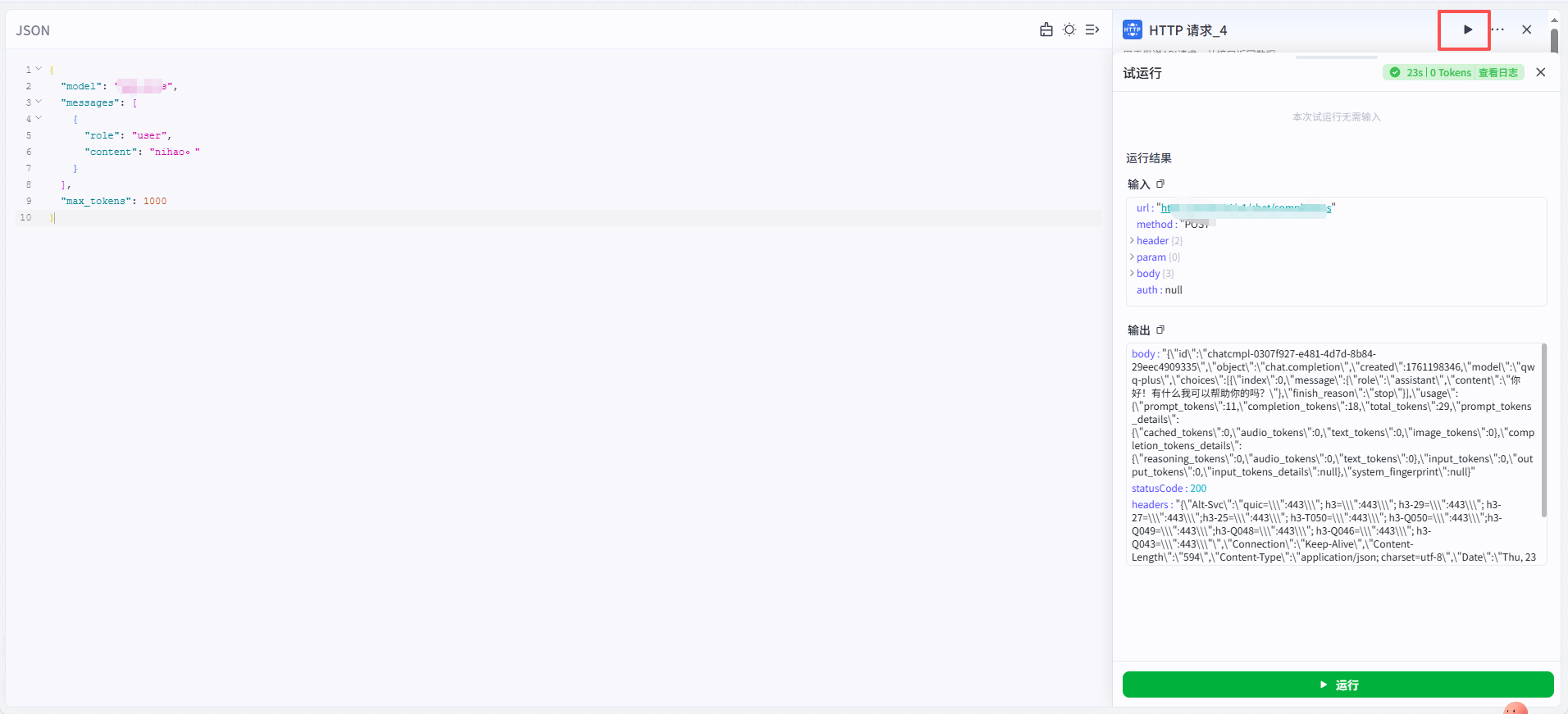
**5.点击试运行，成功**

<img src="https://mintcdn.com/onetoken-9a3c590a/Y02IerIYTPVRQQ-L/images/Coze/9.png?fit=max&auto=format&n=Y02IerIYTPVRQQ-L&q=85&s=8f46f771ad8cf42e6c6448489510b7a9" alt="image.png" width="1912" height="871" data-path="images/Coze/9.png" />