> ## Documentation Index
> Fetch the complete documentation index at: https://doc.onetoken.one/llms.txt
> Use this file to discover all available pages before exploring further.

# OpenClaw

> OpenClaw 是一个开源的智能体平台，可在你的本地机器上运行，并能通过你已经在使用的聊天应用来工作。

## 安装

<Note>
  安装前请确保 Node>=22
</Note>

执行安装指令

```shellscript theme={null} theme={null}
npm install -g openclaw@latest
```

### 终端配置

打开终端，运行以下指令开始配置

```shellscript theme={null} theme={null}
openclaw onboard
```

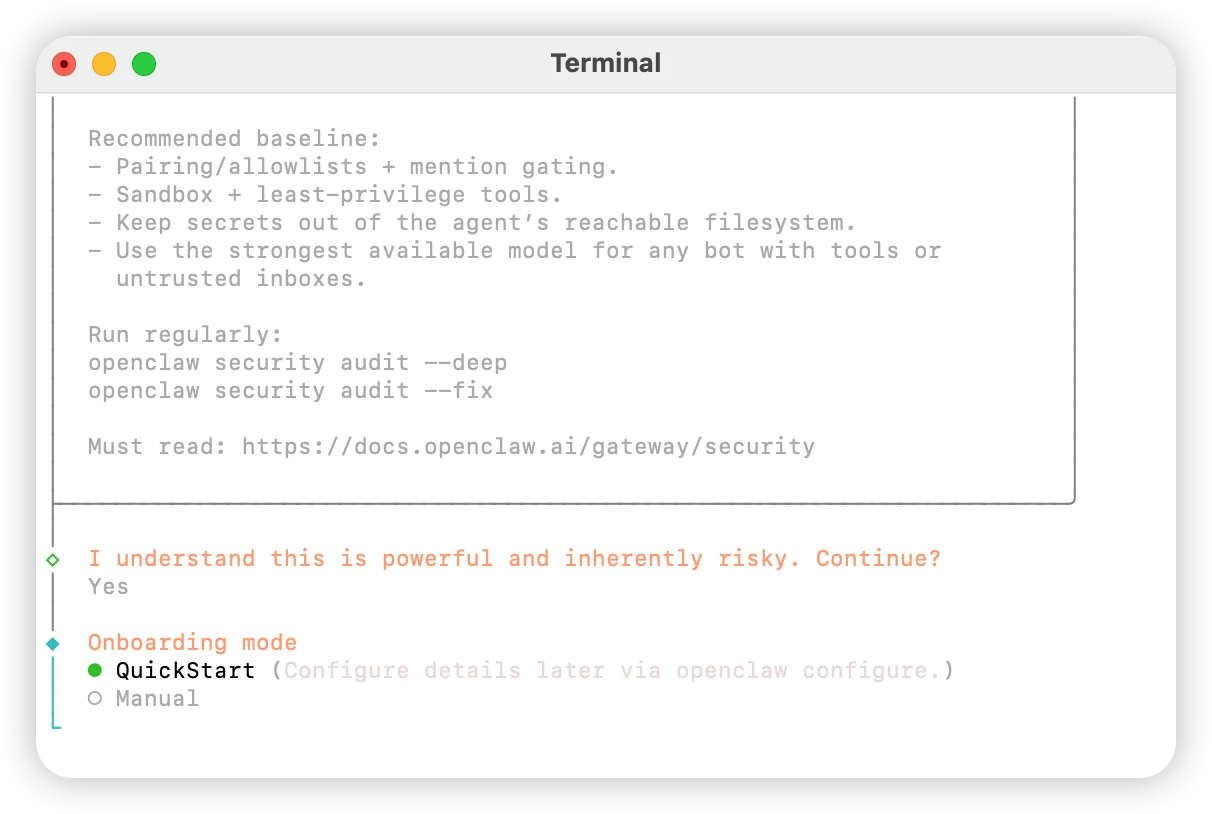
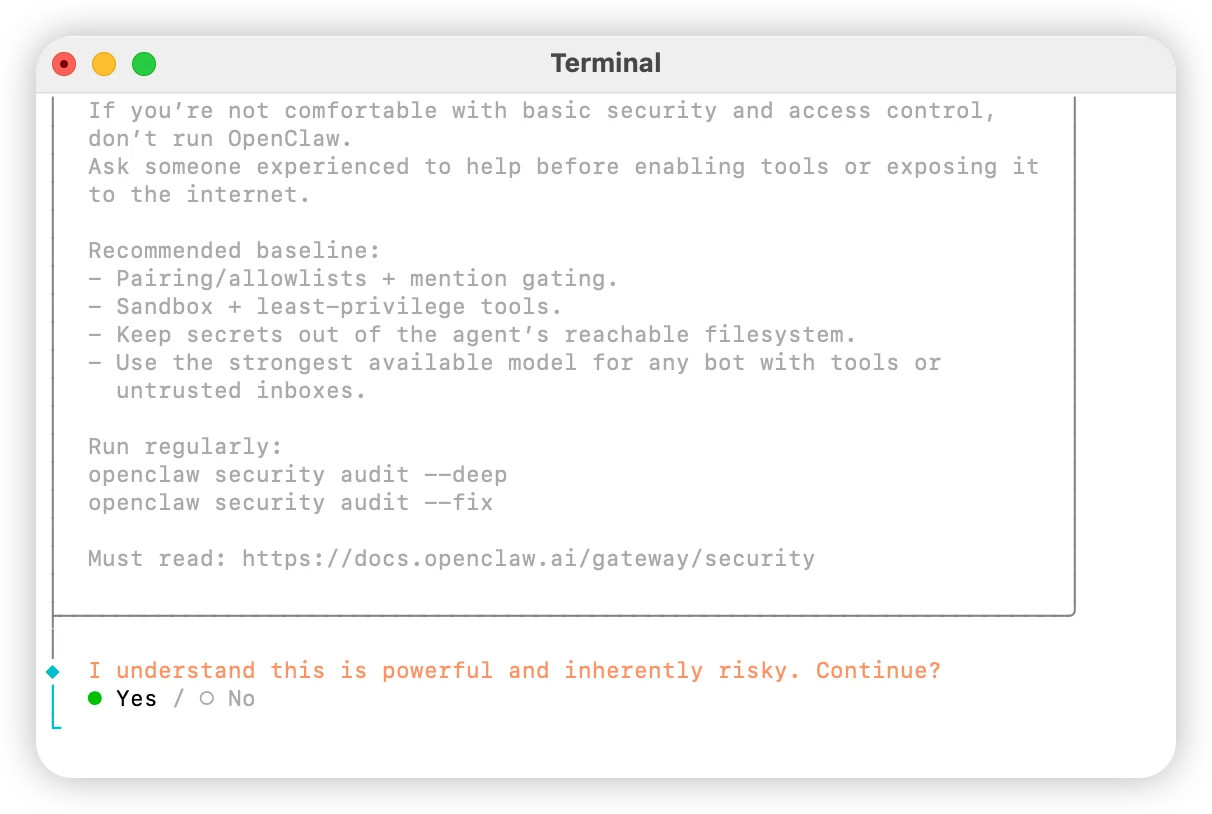
选择 `Yes`
<img src="https://mintcdn.com/onetoken-9a3c590a/Y02IerIYTPVRQQ-L/images/OpenClaw/1.webp?fit=max&auto=format&n=Y02IerIYTPVRQQ-L&q=85&s=339b172023bbcc05689eeb4fcb185216" alt="Oc 1" width="1212" height="814" data-path="public/cn/oc-1.png" data-path="images/OpenClaw/1.webp" />

选择 `QuickStart`

<img src="https://mintcdn.com/onetoken-9a3c590a/Y02IerIYTPVRQQ-L/images/OpenClaw/2.webp?fit=max&auto=format&n=Y02IerIYTPVRQQ-L&q=85&s=f8dee94cca842a1974d45690b11a3799" alt="Oc 2" width="1212" height="814" data-path="public/cn/oc-2.png" data-path="images/OpenClaw/2.webp" />

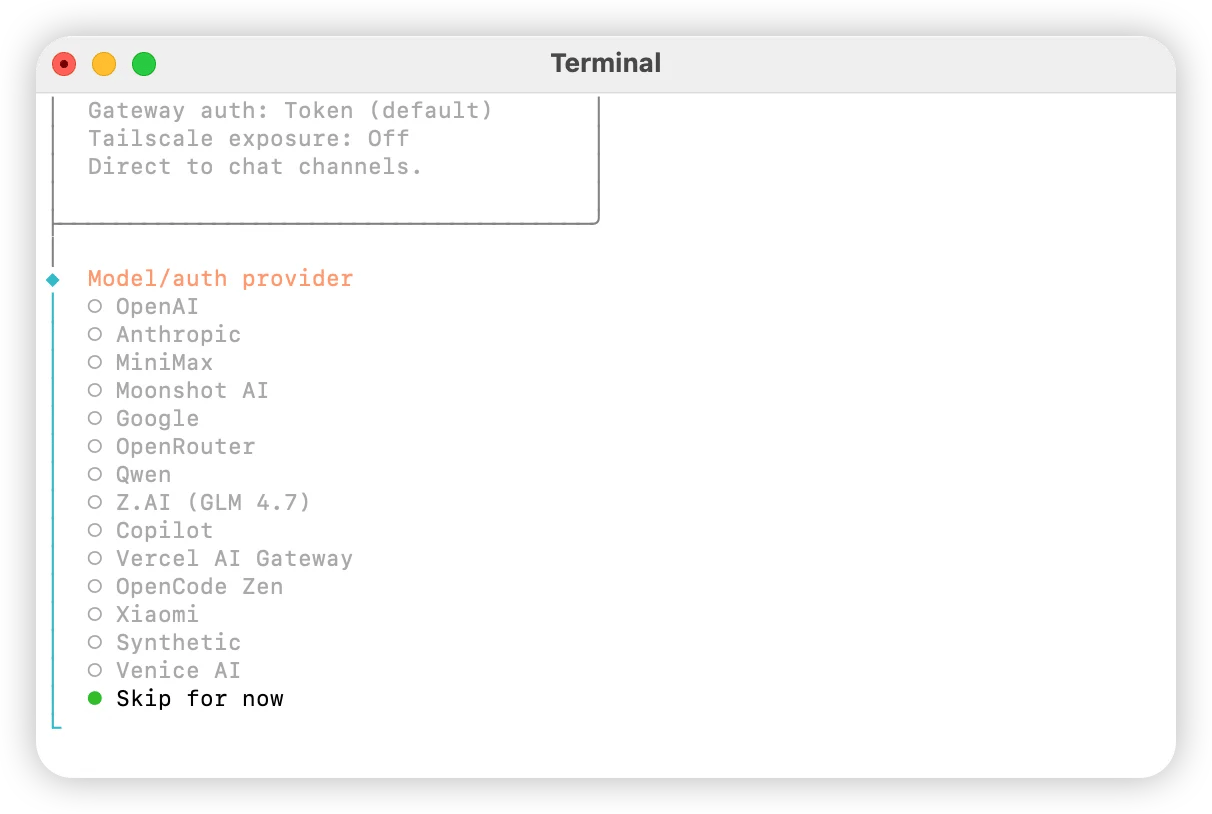
选择 `Skip for now`

<img src="https://mintcdn.com/onetoken-9a3c590a/Y02IerIYTPVRQQ-L/images/OpenClaw/3.webp?fit=max&auto=format&n=Y02IerIYTPVRQQ-L&q=85&s=65b565123147e70694b374ee9aa0250b" alt="Oc 3" width="1212" height="814" data-path="public/cn/oc-3.png" data-path="images/OpenClaw/3.webp" />

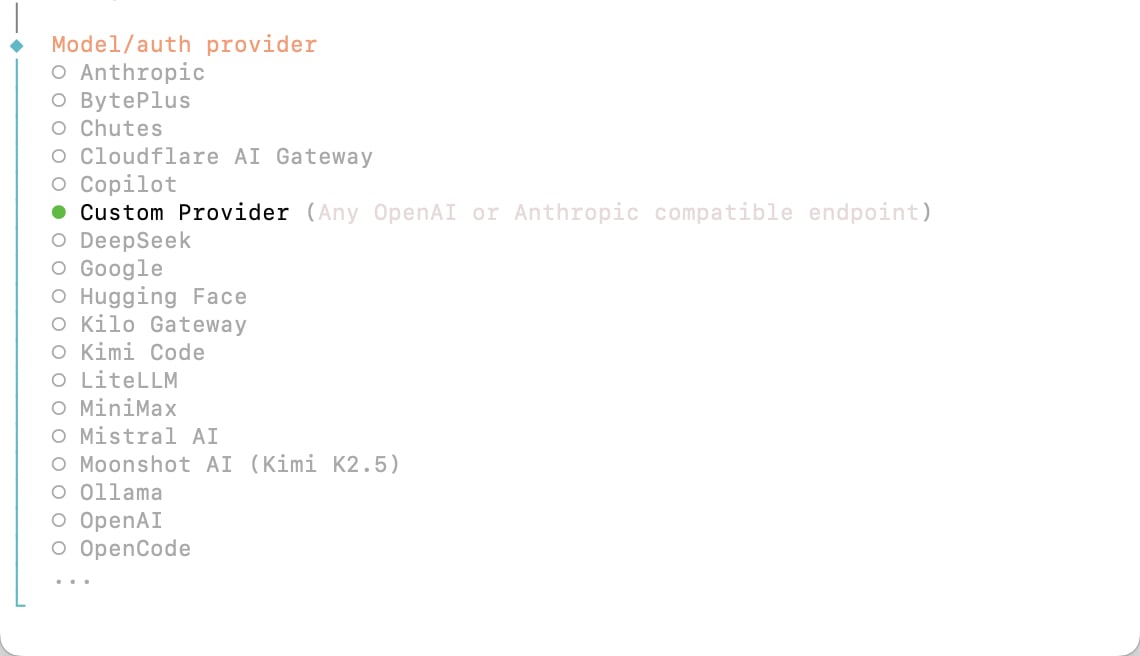
选择 `custom providers`

<img src="https://mintcdn.com/onetoken-9a3c590a/Y02IerIYTPVRQQ-L/images/OpenClaw/12.png?fit=max&auto=format&n=Y02IerIYTPVRQQ-L&q=85&s=1436f5009ccc41ab0044022cf59d9136" alt="Oc 4" width="1212" height="814" data-path="public/cn/oc-4.png" data-path="images/OpenClaw/12.png" />

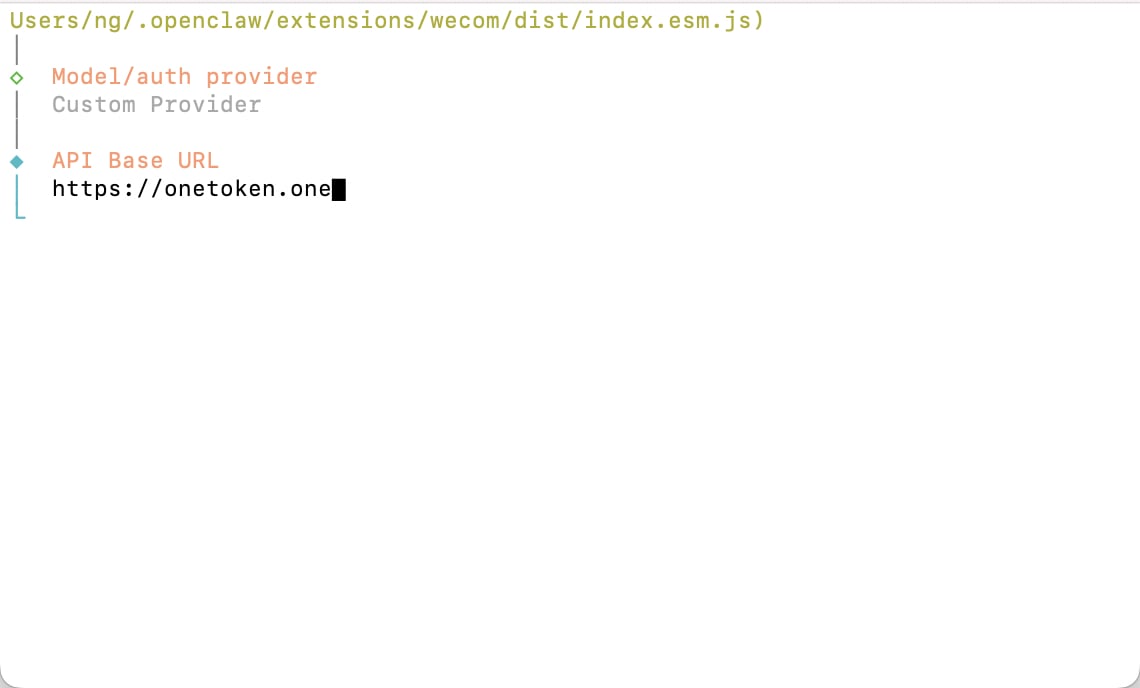
填入 `https://onetoken.one`

<img src="https://mintcdn.com/onetoken-9a3c590a/Y02IerIYTPVRQQ-L/images/OpenClaw/13.png?fit=max&auto=format&n=Y02IerIYTPVRQQ-L&q=85&s=ddb2698b1ae279c5c19d52b6ee2d3c41" alt="Oc 4" width="1212" height="814" data-path="public/cn/oc-4.png" data-path="images/OpenClaw/13.png" />

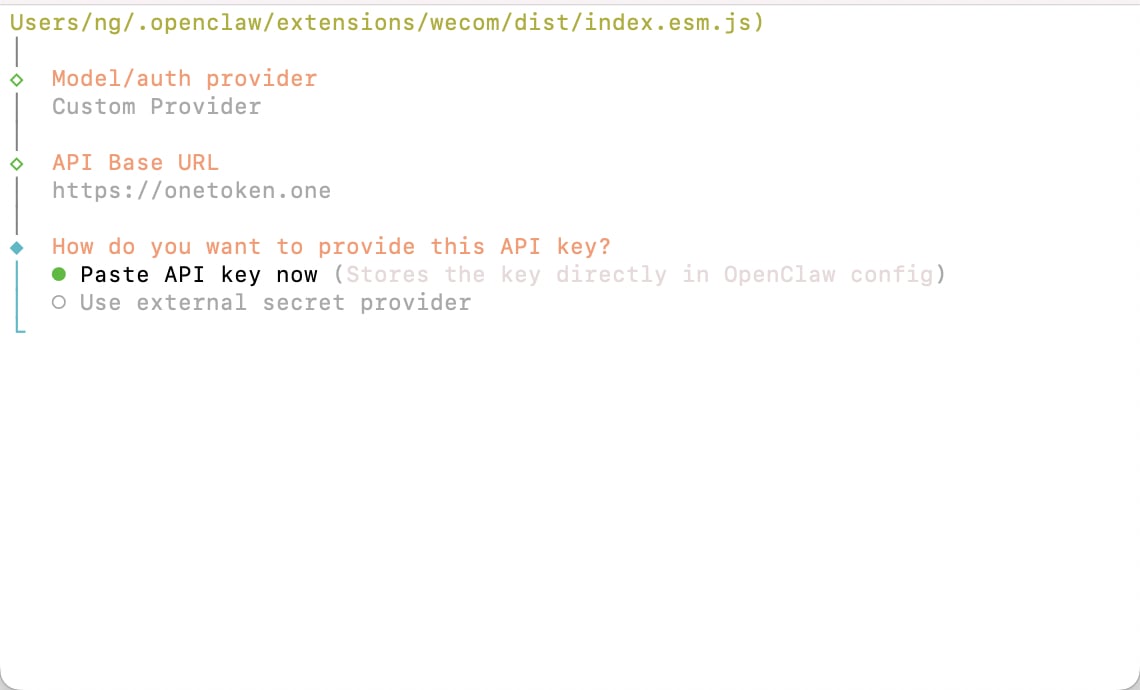
默认回车

<img src="https://mintcdn.com/onetoken-9a3c590a/Y02IerIYTPVRQQ-L/images/OpenClaw/14.png?fit=max&auto=format&n=Y02IerIYTPVRQQ-L&q=85&s=aa3d47e4bd90beb1bb1e2593c3f42215" alt="Oc 4" width="1212" height="814" data-path="public/cn/oc-4.png" data-path="images/OpenClaw/14.png" />

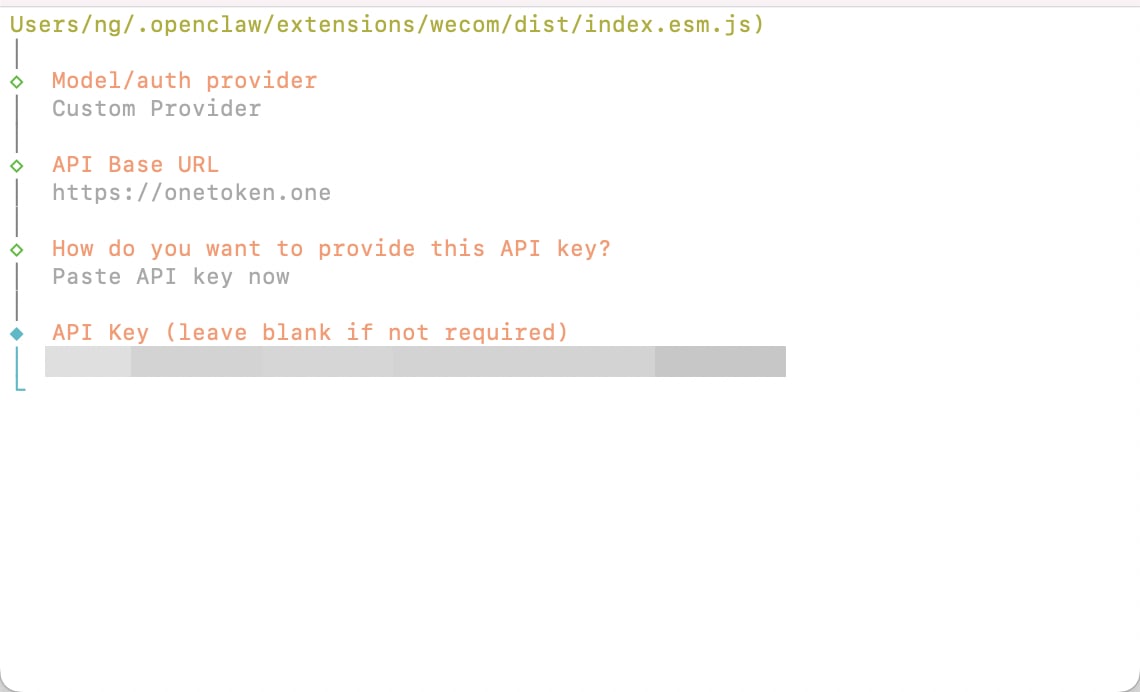
填入平台获取的 API key

<img src="https://mintcdn.com/onetoken-9a3c590a/Y02IerIYTPVRQQ-L/images/OpenClaw/15.png?fit=max&auto=format&n=Y02IerIYTPVRQQ-L&q=85&s=93d954e25152a36d8fbb31f4f9cb0c12" alt="Oc 4" width="1212" height="814" data-path="public/cn/oc-4.png" data-path="images/OpenClaw/15.png" />

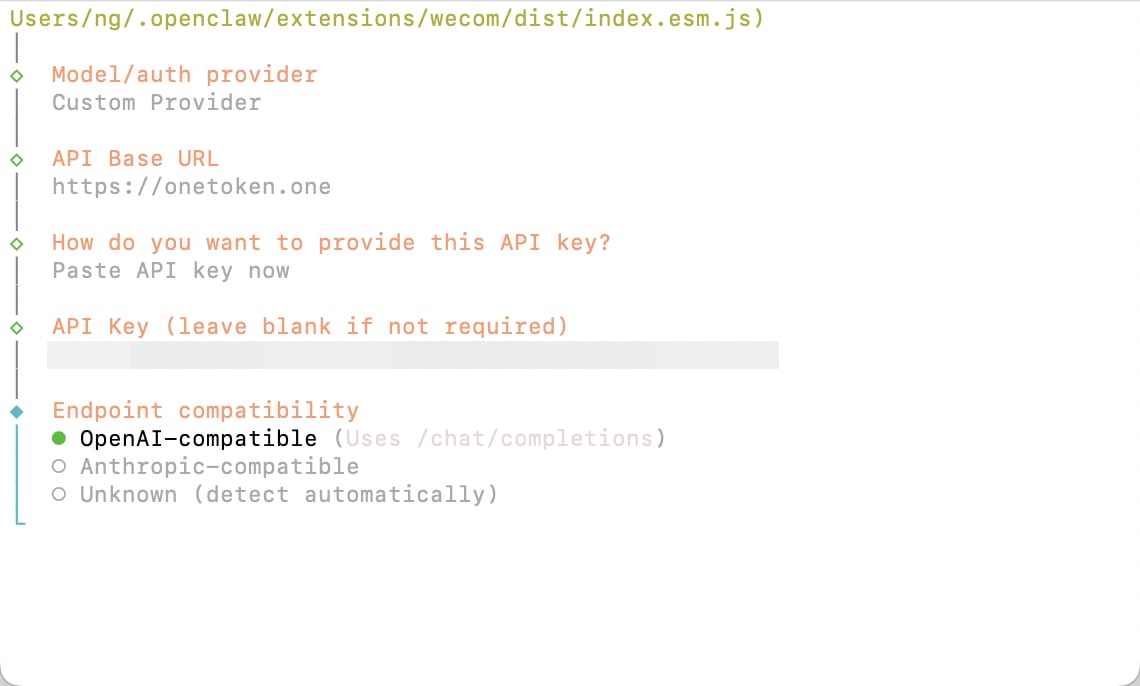
选择 OpenAI-compatible 回车

<img src="https://mintcdn.com/onetoken-9a3c590a/Y02IerIYTPVRQQ-L/images/OpenClaw/16.png?fit=max&auto=format&n=Y02IerIYTPVRQQ-L&q=85&s=0c42a0c29211a36518b55ff078e9cc72" alt="Oc 4" width="1212" height="814" data-path="public/cn/oc-4.png" data-path="images/OpenClaw/16.png" />

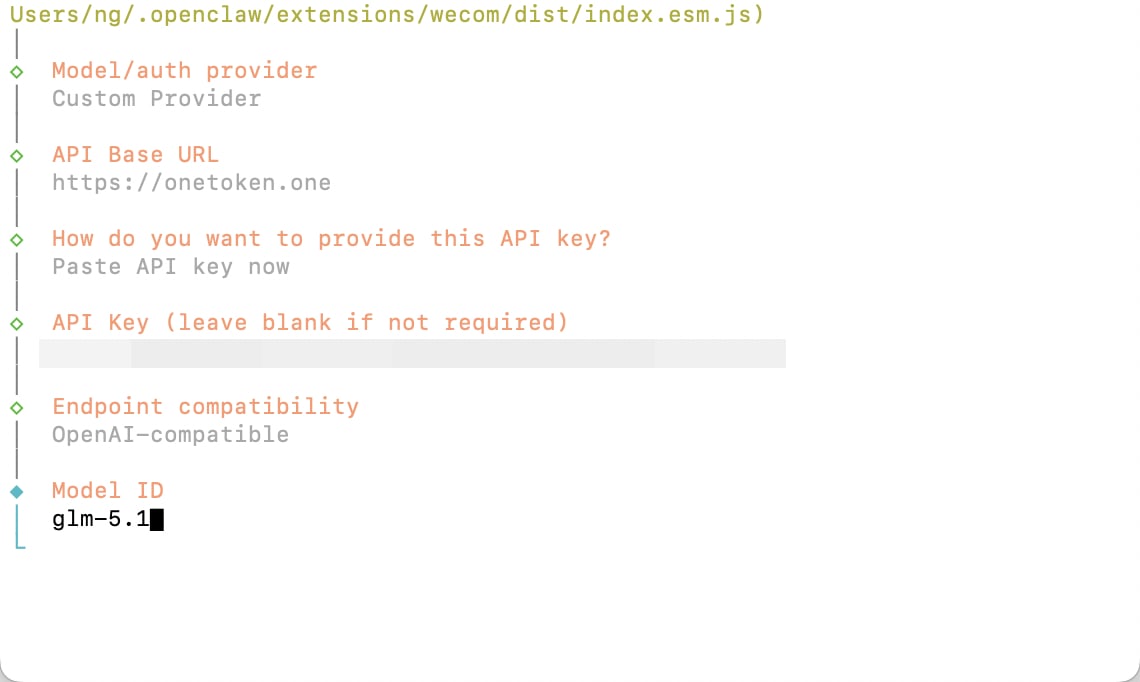
填入需要使用的模型 ID

<img src="https://mintcdn.com/onetoken-9a3c590a/Y02IerIYTPVRQQ-L/images/OpenClaw/17.png?fit=max&auto=format&n=Y02IerIYTPVRQQ-L&q=85&s=783b14cbfb3155882ba98604382417fe" alt="Oc 4" width="1212" height="814" data-path="public/cn/oc-4.png" data-path="images/OpenClaw/17.png" />

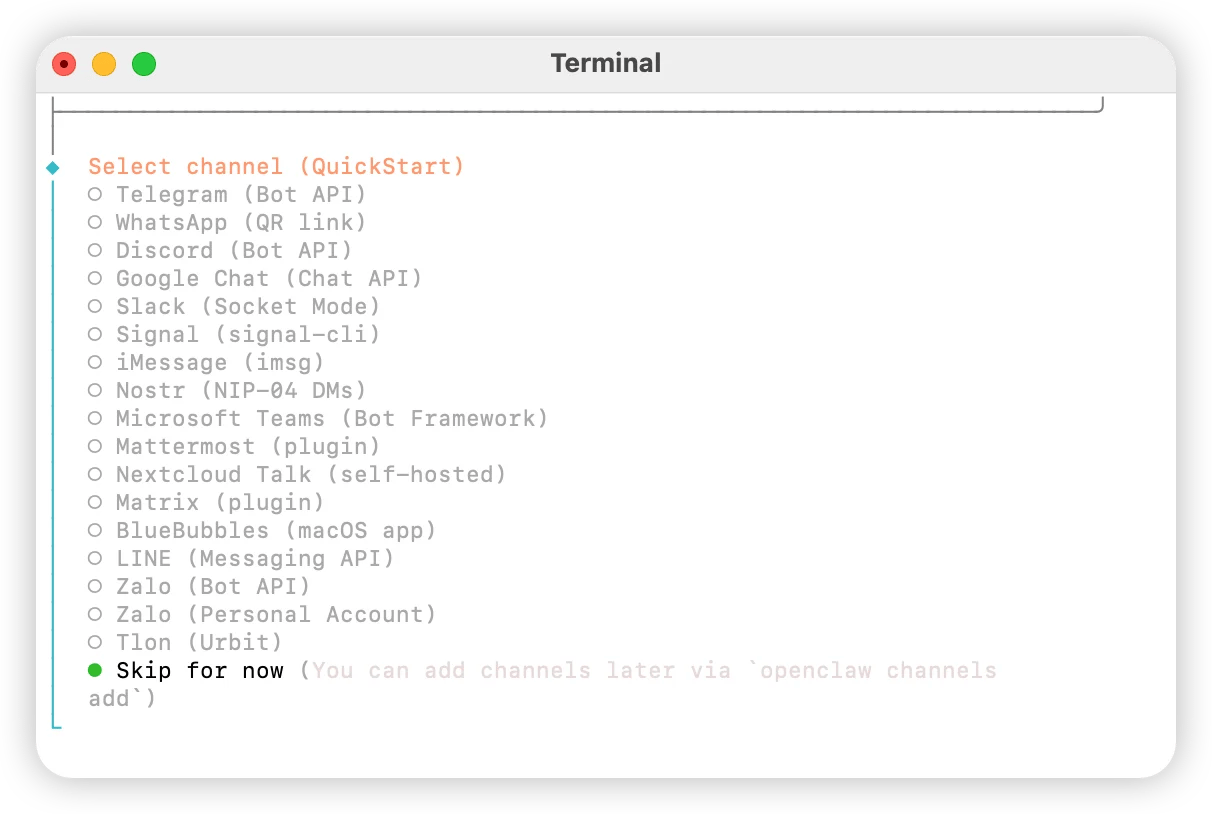
根据需求关联个人账户，如无相关需求请选择 `Skip for now`

<img src="https://mintcdn.com/onetoken-9a3c590a/Y02IerIYTPVRQQ-L/images/OpenClaw/6.webp?fit=max&auto=format&n=Y02IerIYTPVRQQ-L&q=85&s=699060e0530f70e78fd48fdce4f3be51" alt="Oc 6" width="1212" height="814" data-path="public/cn/oc-6.png" data-path="images/OpenClaw/6.webp" />

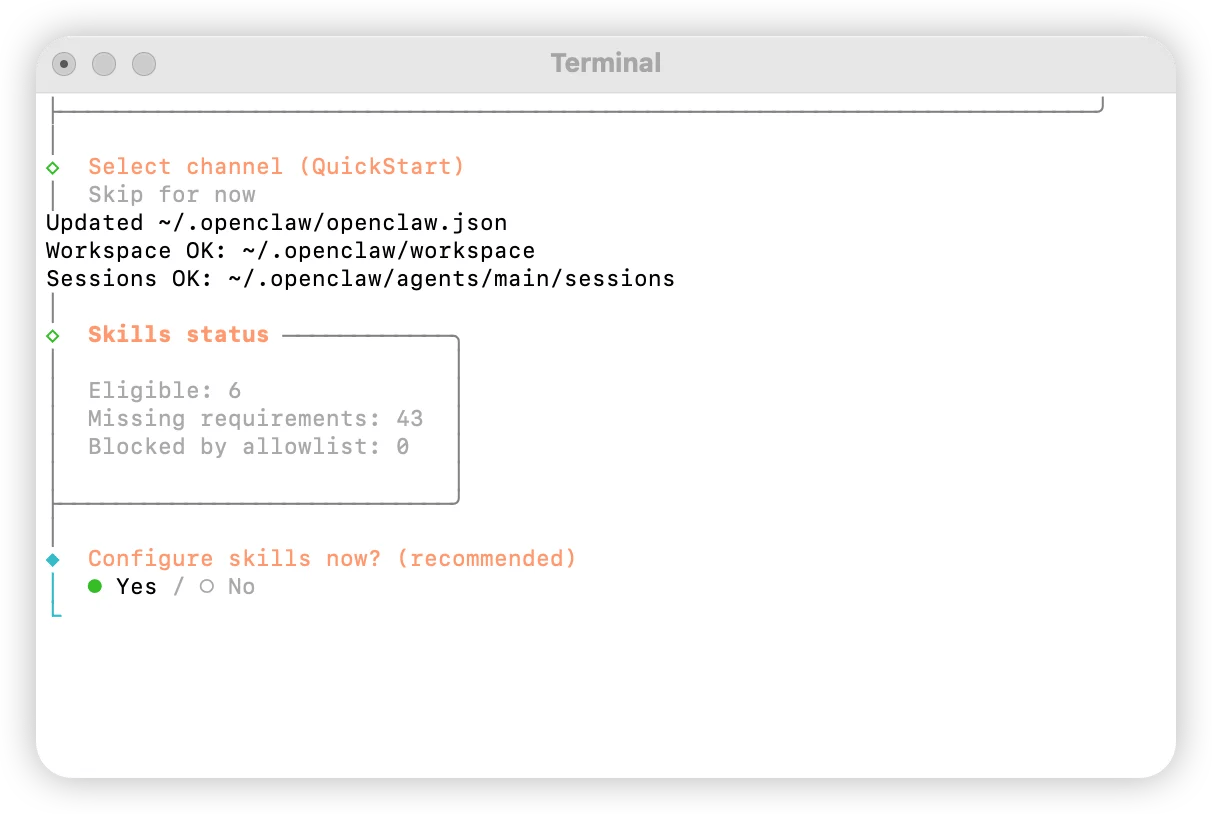
配置技能，选择 `Yes`

<img src="https://mintcdn.com/onetoken-9a3c590a/Y02IerIYTPVRQQ-L/images/OpenClaw/7.webp?fit=max&auto=format&n=Y02IerIYTPVRQQ-L&q=85&s=a2814818acdb405523300abe54163efb" alt="Oc 7" width="1212" height="814" data-path="public/cn/oc-7.png" data-path="images/OpenClaw/7.webp" />

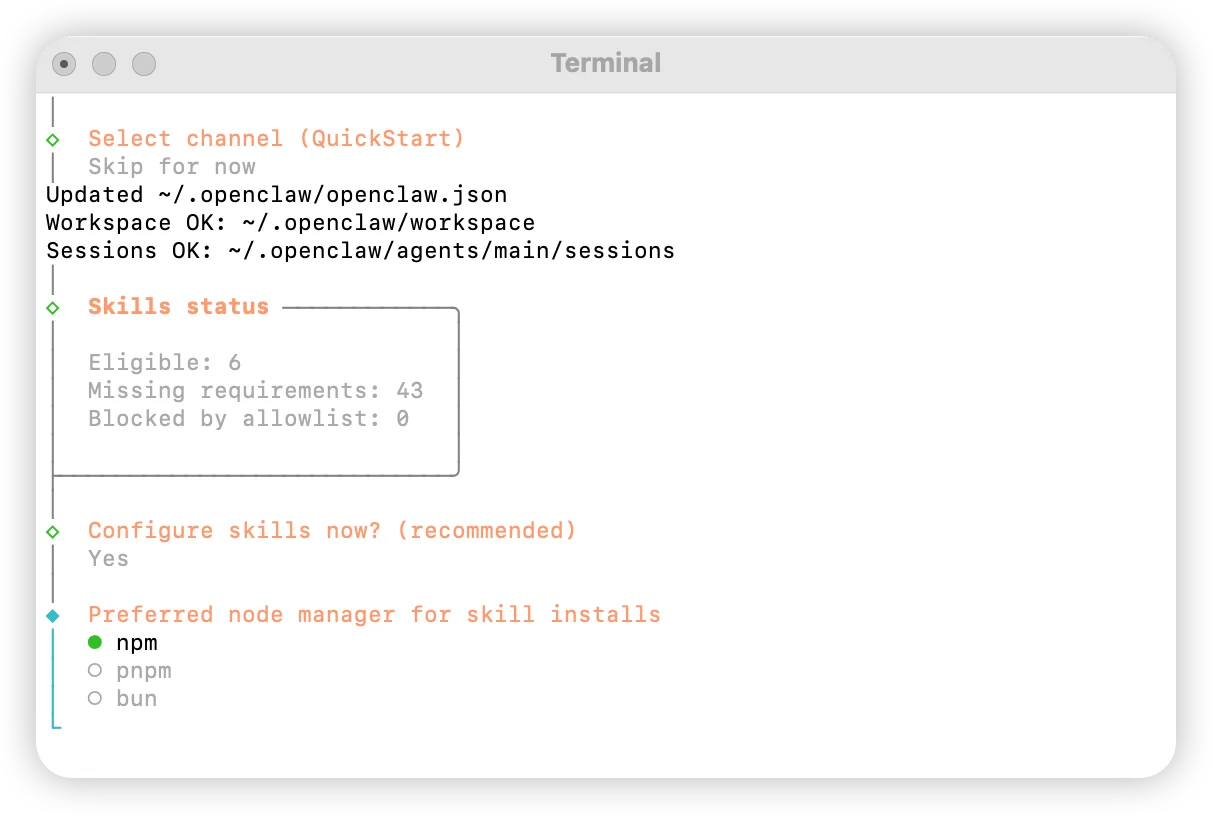
选择 `npm`

<img src="https://mintcdn.com/onetoken-9a3c590a/Y02IerIYTPVRQQ-L/images/OpenClaw/8.webp?fit=max&auto=format&n=Y02IerIYTPVRQQ-L&q=85&s=fe27c24cba93a28a626445991dd9b09c" alt="Oc 8" width="1212" height="814" data-path="public/cn/oc-8.png" data-path="images/OpenClaw/8.webp" />

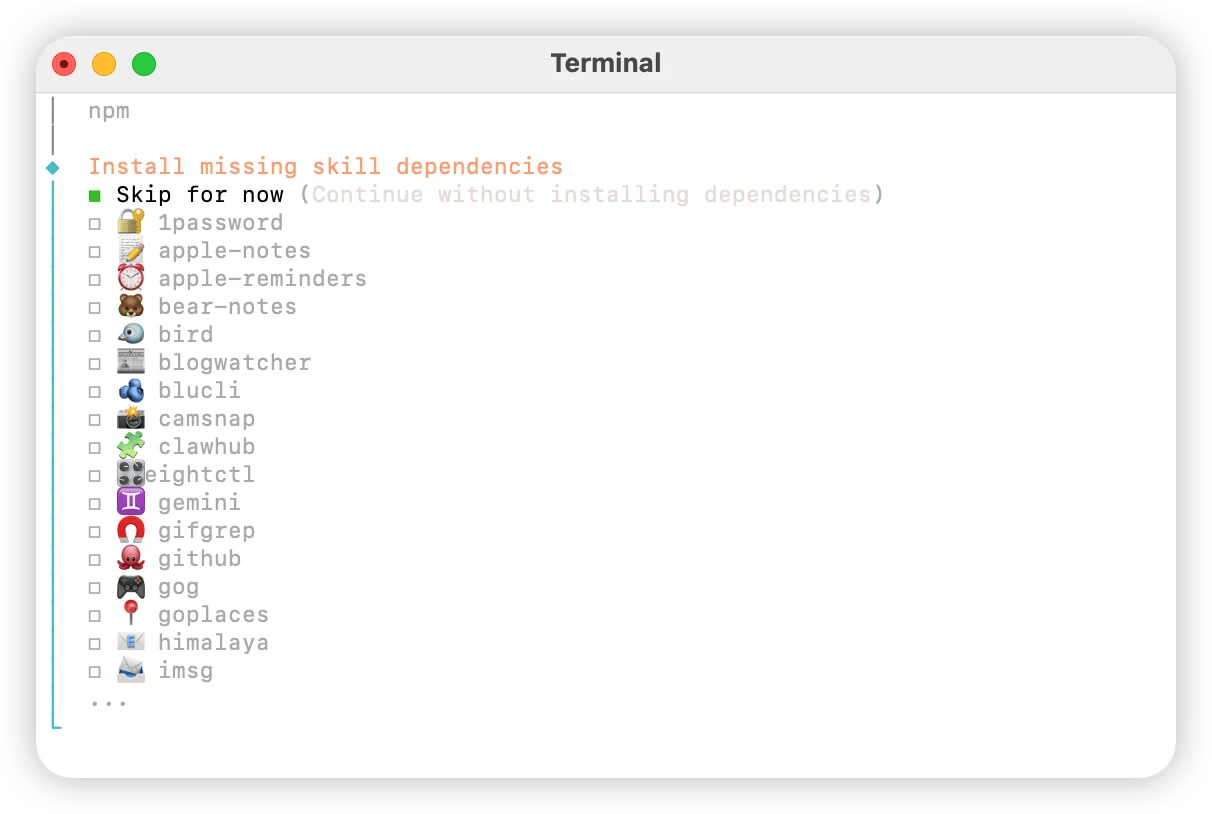
根据需求配置技能选择

<img src="https://mintcdn.com/onetoken-9a3c590a/Y02IerIYTPVRQQ-L/images/OpenClaw/9.webp?fit=max&auto=format&n=Y02IerIYTPVRQQ-L&q=85&s=56611d756d9118c75670940c107c0036" alt="Oc 9" width="1212" height="814" data-path="public/cn/oc-9.png" data-path="images/OpenClaw/9.webp" />

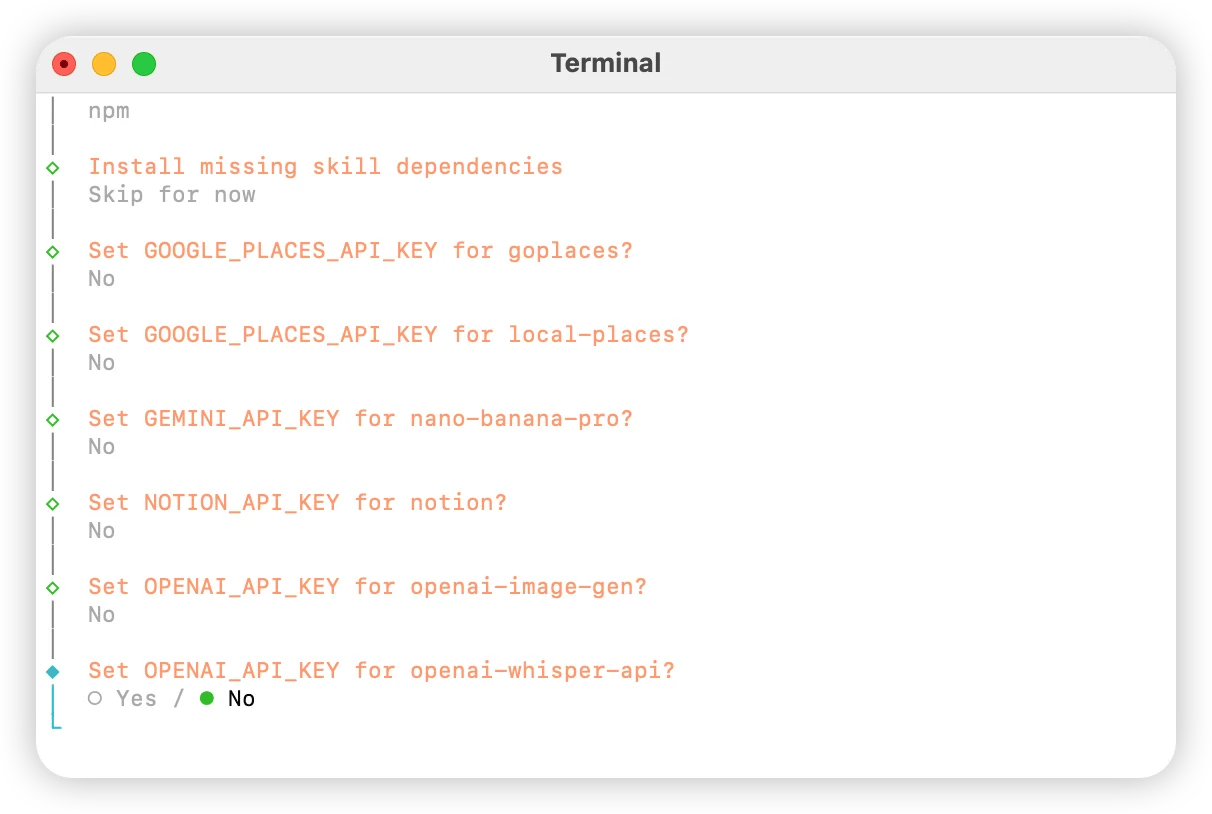
全部选择 `No`

<img src="https://mintcdn.com/onetoken-9a3c590a/Y02IerIYTPVRQQ-L/images/OpenClaw/10.webp?fit=max&auto=format&n=Y02IerIYTPVRQQ-L&q=85&s=23ada16bca2a7db3f1854ee9fe4e33a0" alt="Oc 10" width="1212" height="814" data-path="public/cn/oc-10.png" data-path="images/OpenClaw/10.webp" />

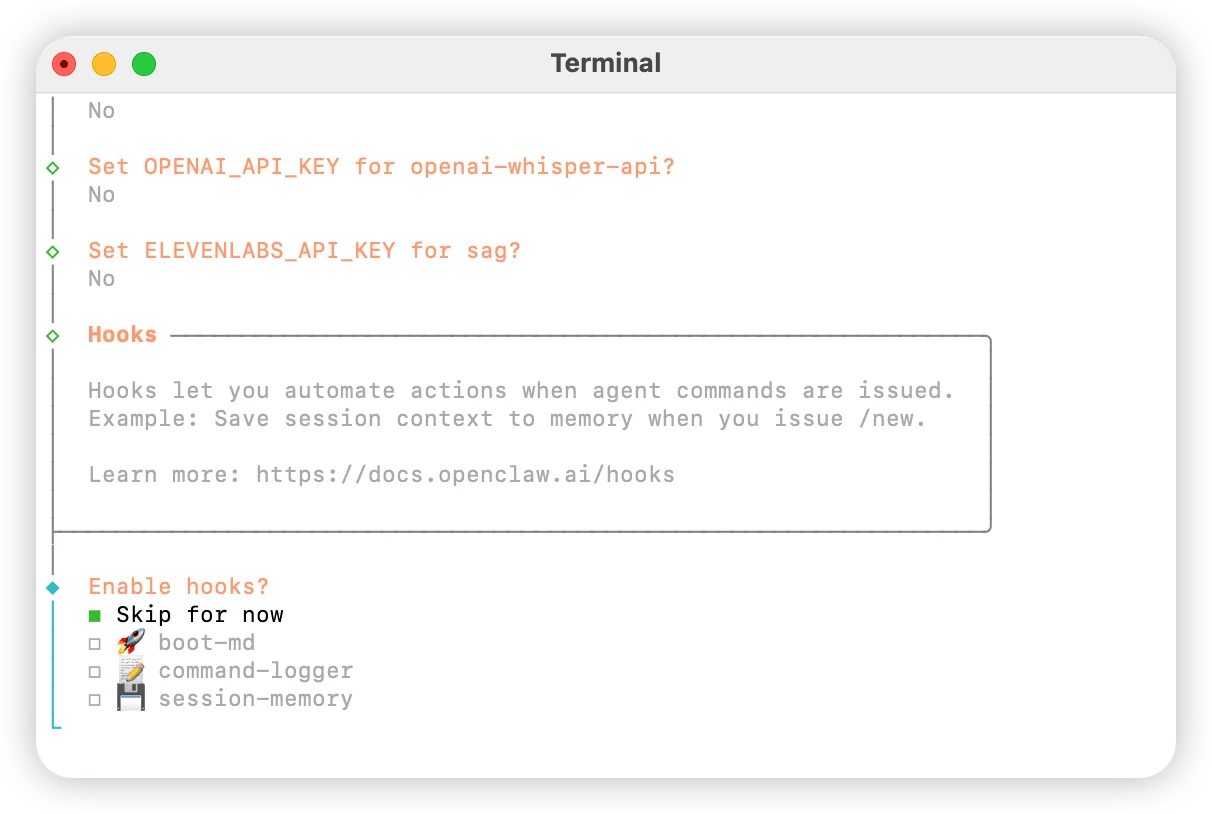
选择 `Skip for now`

<img src="https://mintcdn.com/onetoken-9a3c590a/Y02IerIYTPVRQQ-L/images/OpenClaw/11.webp?fit=max&auto=format&n=Y02IerIYTPVRQQ-L&q=85&s=4ba6edacb7c3442331c59968c31039ca" alt="Oc 11" width="1212" height="814" data-path="public/cn/oc-11.png" data-path="images/OpenClaw/11.webp" />

选择 `Hatch in UI`