

Use Claude Code with Onetoken
Quickstart
This guide gets Claude Code talking to Onetoken in a few minutes.1. Install Claude Code
Install script
npm
Requires Node.js 18+2. Point Claude Code at Onetoken
For Anthropic-compatible access via Onetoken, set:BASE_URL→https://onetoken.oneAUTH_TOKEN→ API key from OnetokenMODEL→ a model id from the model list
- macOS
- Windows
- Check your default shell:
- Append exports (replace
ONETOKEN_API_KEY):
- Reload:
- Verify in a new terminal:
3. Run
From your project: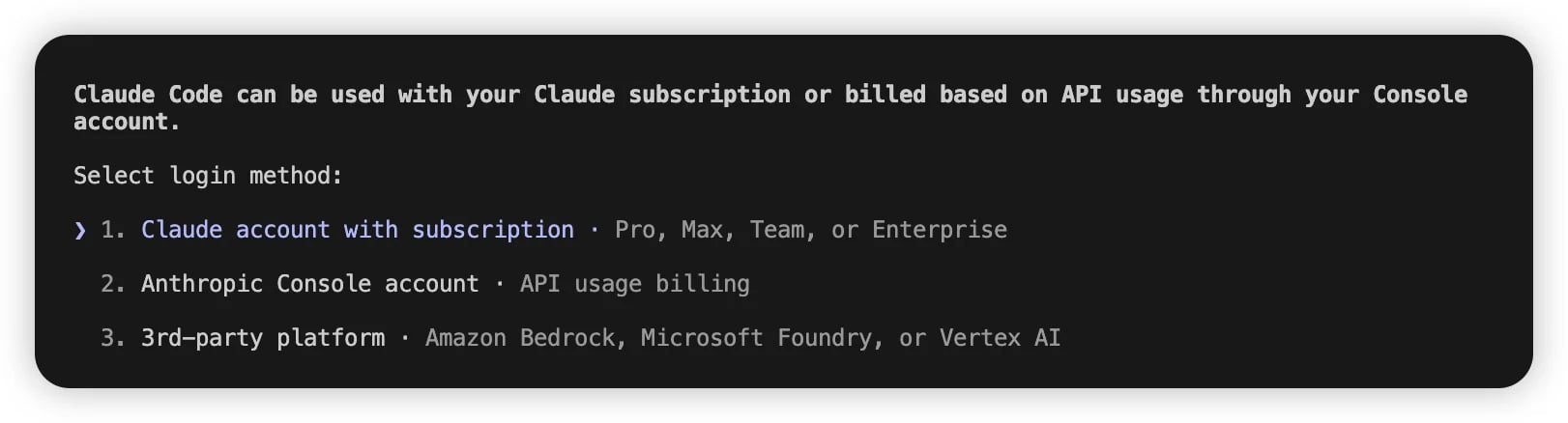
- Edit
~/.claude.json(macOS/Linux) orC:\Users\%USERNAME%\.claude.json(Windows). - Set
hasCompletedOnboardingtotrue:
- Save and run
claudeagain.
More ways to pick models (priority high → low)
- In session:
/model <name>for a one-off switch.
- CLI flag:
claude --model <name>for one run.
- Env defaults (global):
- OPUS — hard reasoning / architecture
- SONNET — everyday coding
- HAIKU — quick checks, search
settings.json(project or user home):
CC-Switch
- Open CC-Switch → Add provider.
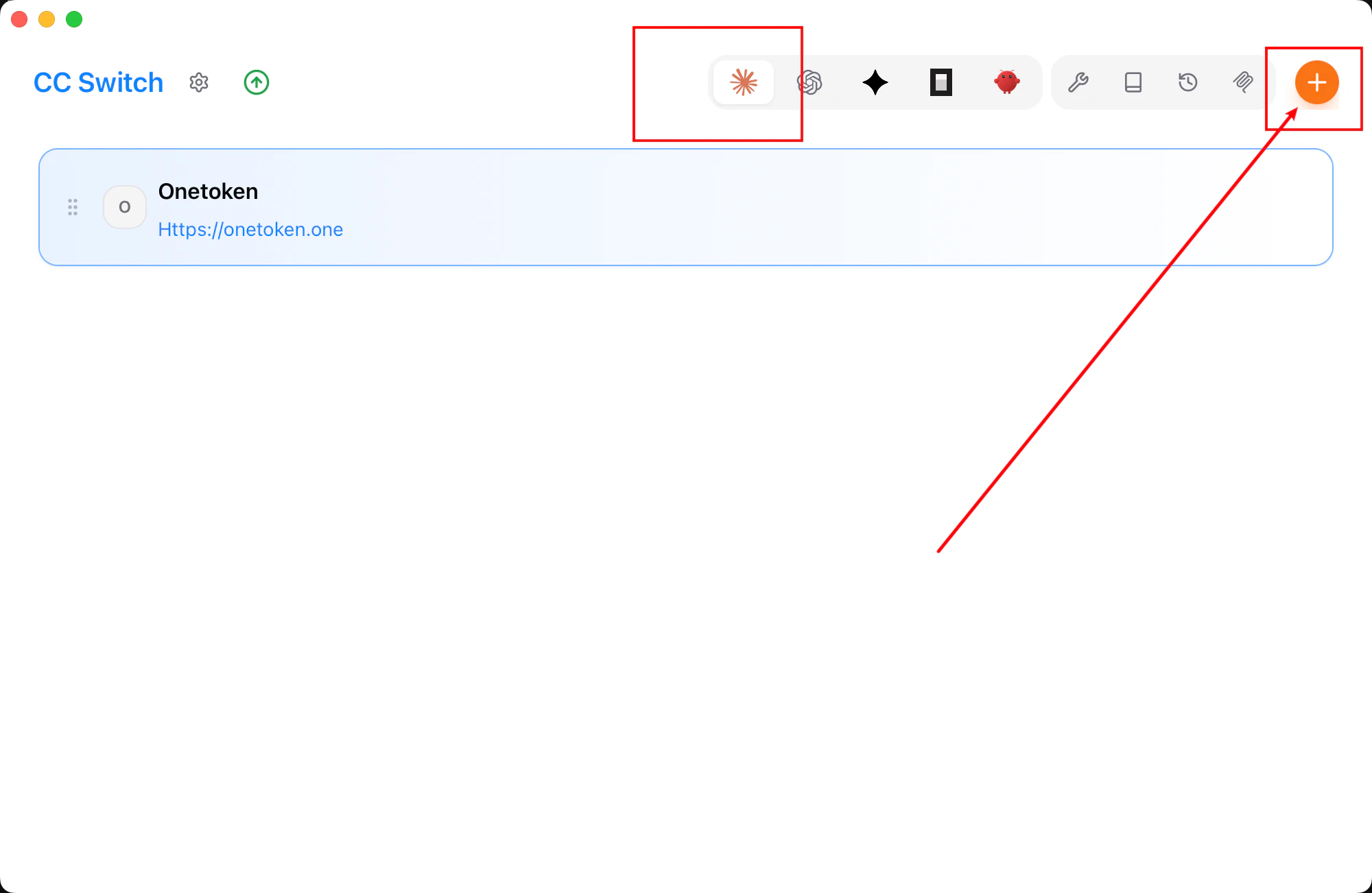
- Choose Custom.
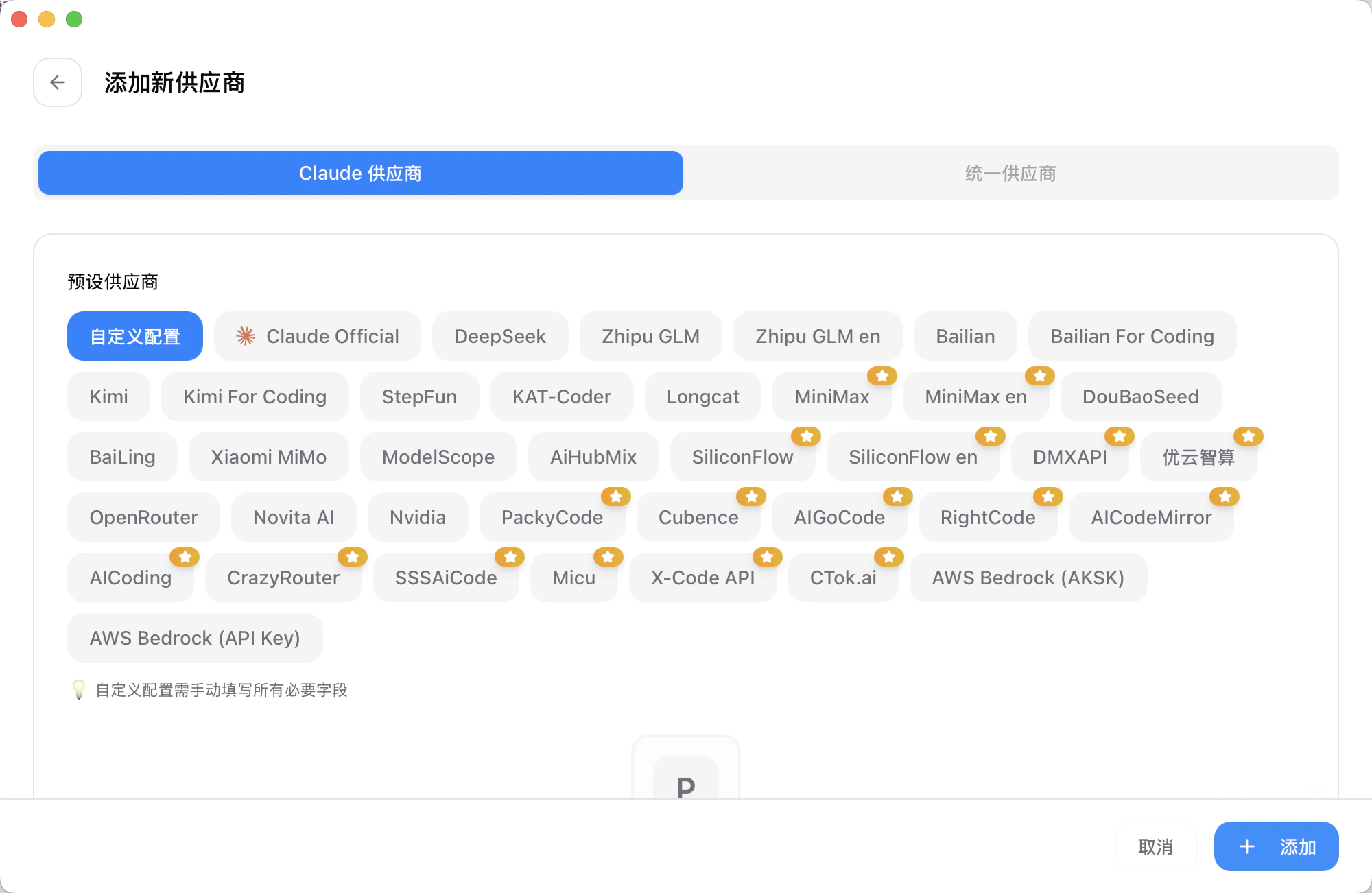
- Enter API key and endpoint.
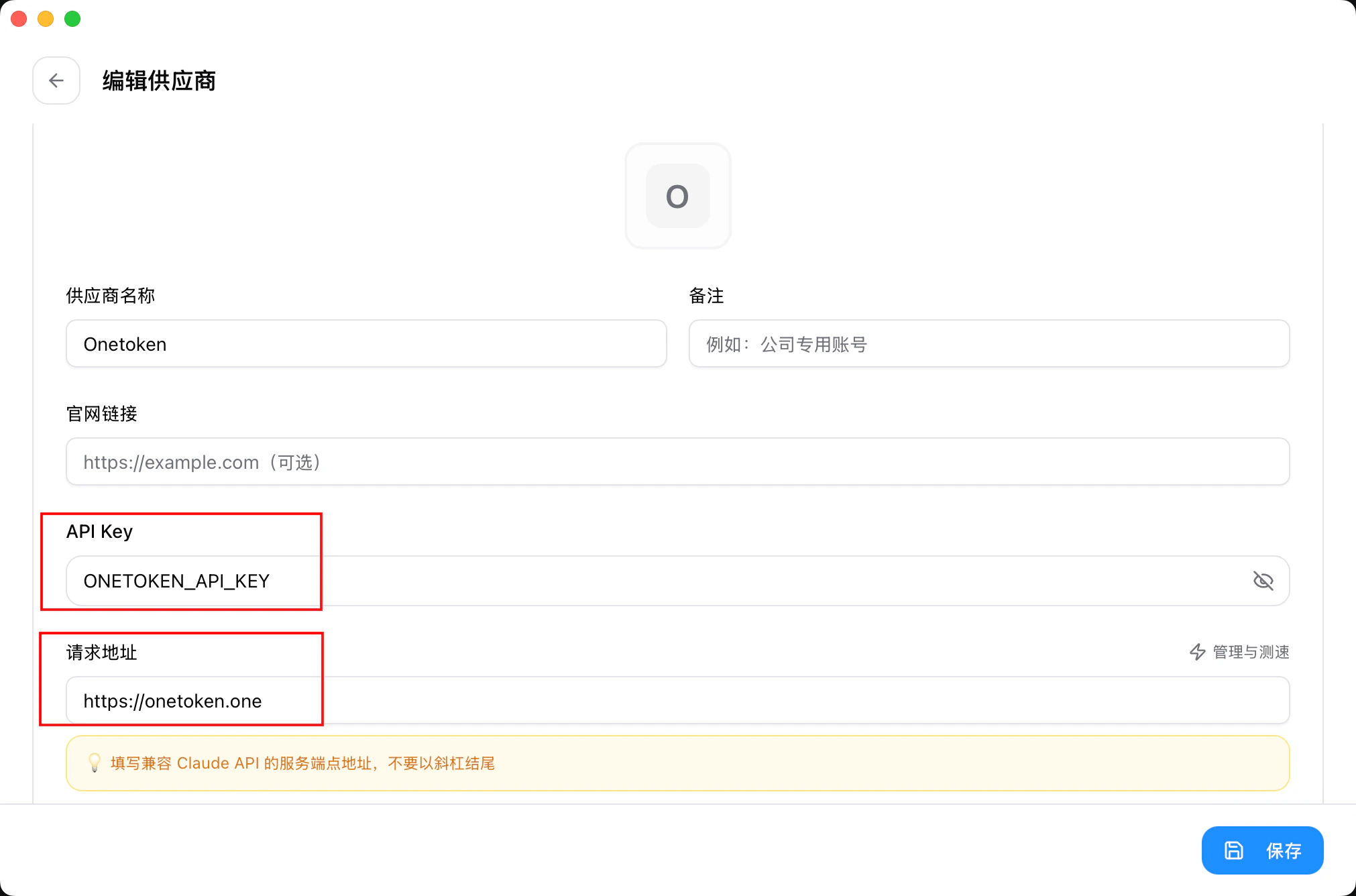
- Add to save.
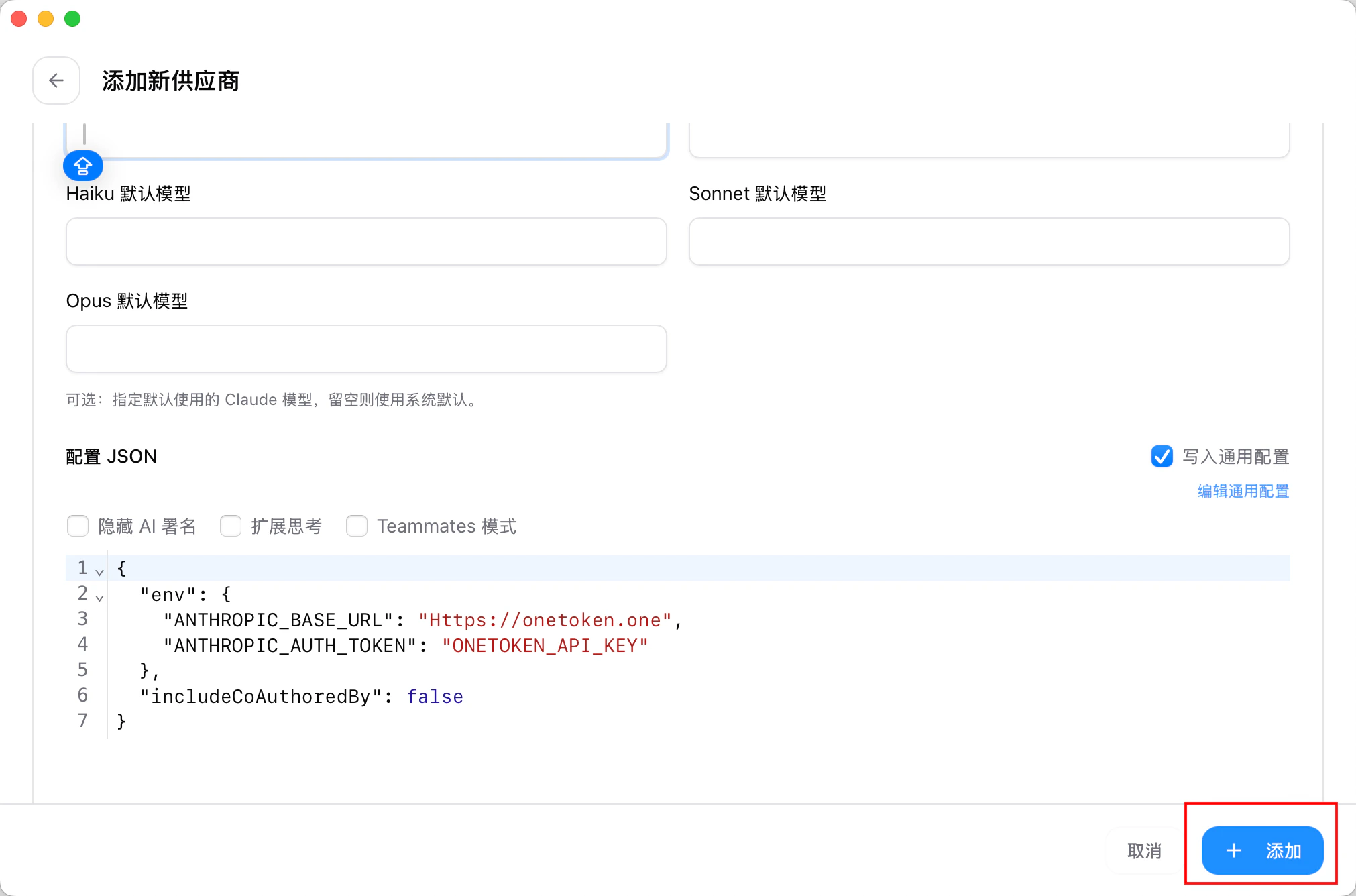
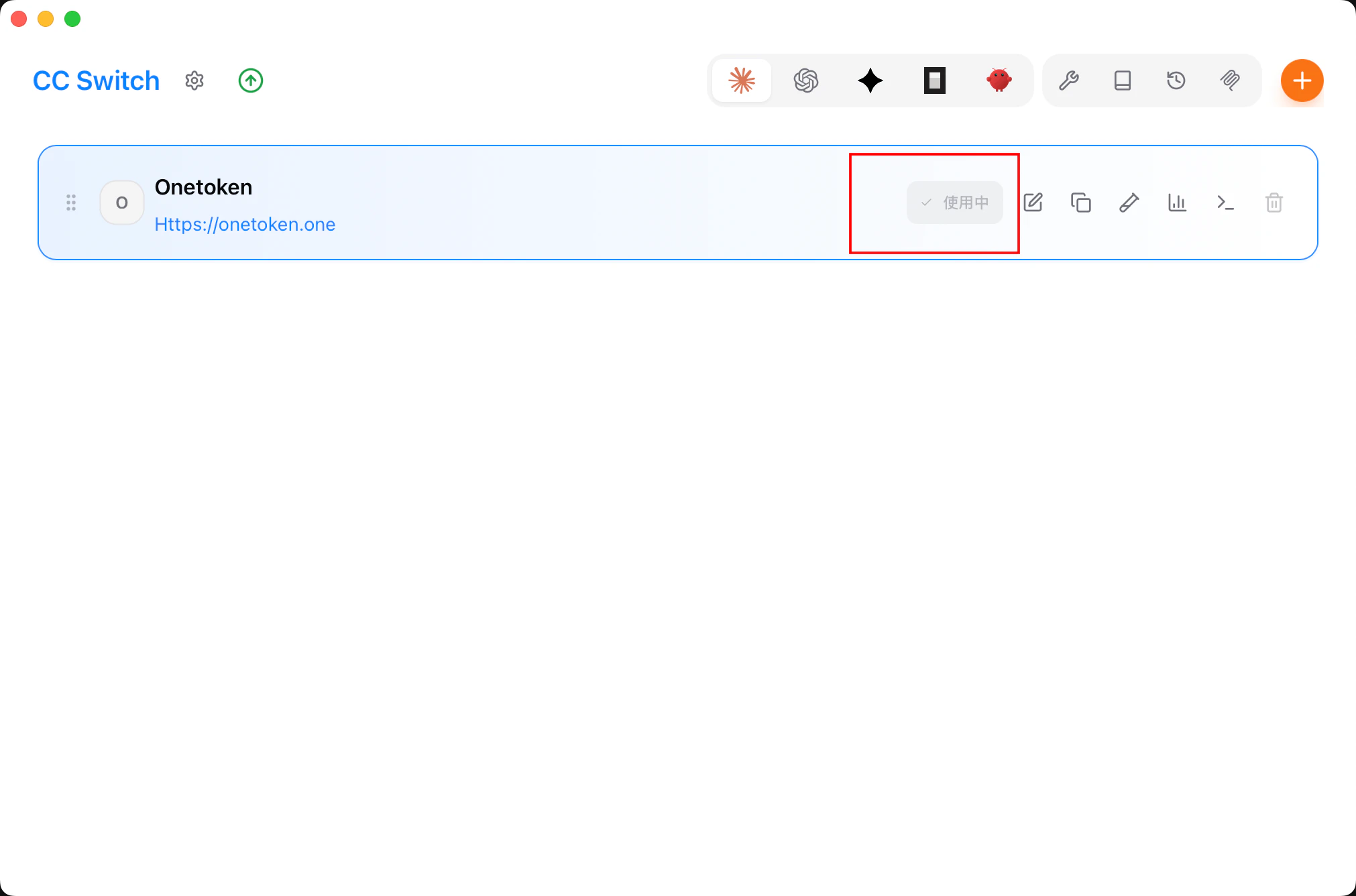
- Home → select onetoken → Start.
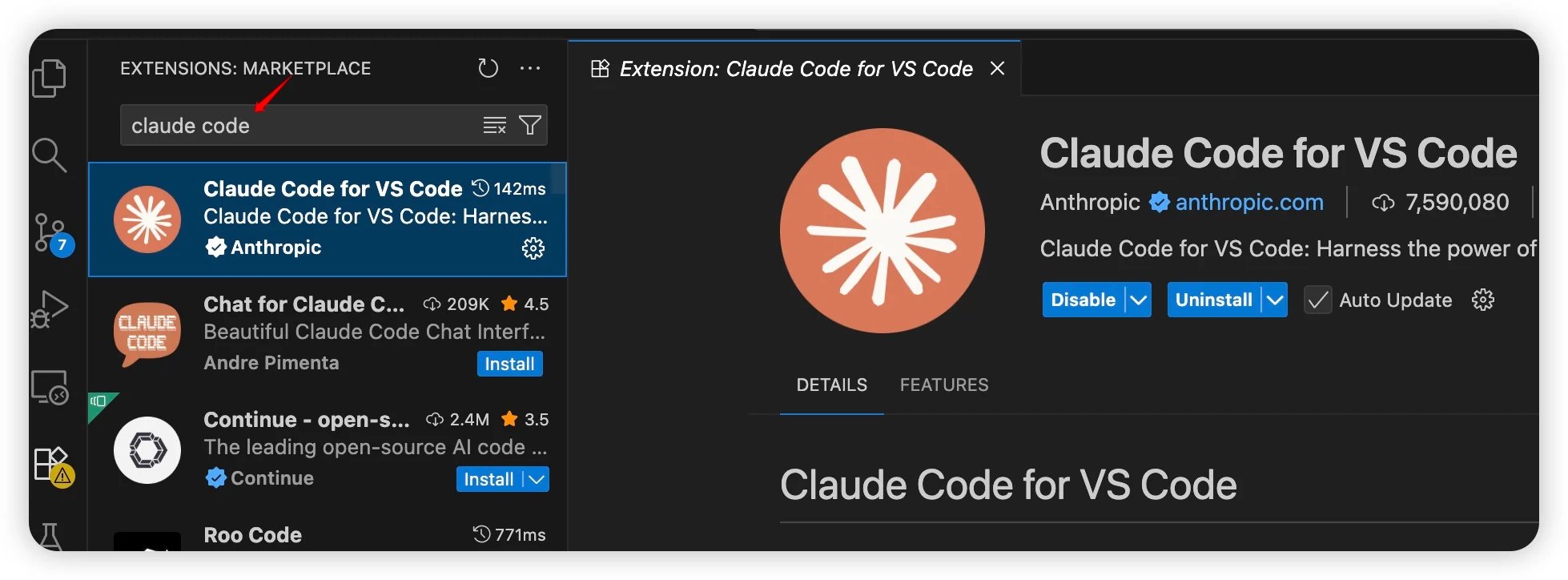
VS Code extension
- Install the extension.
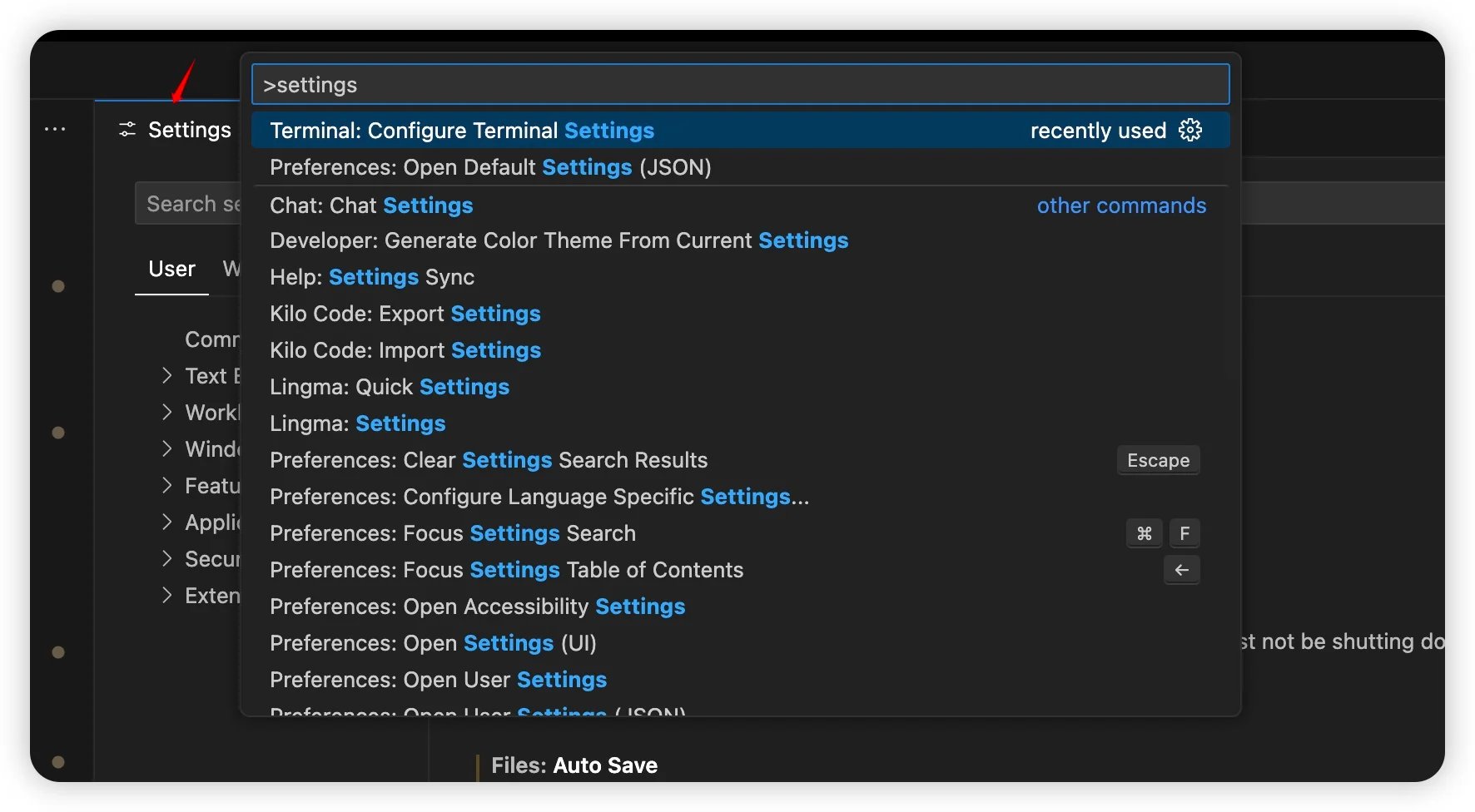
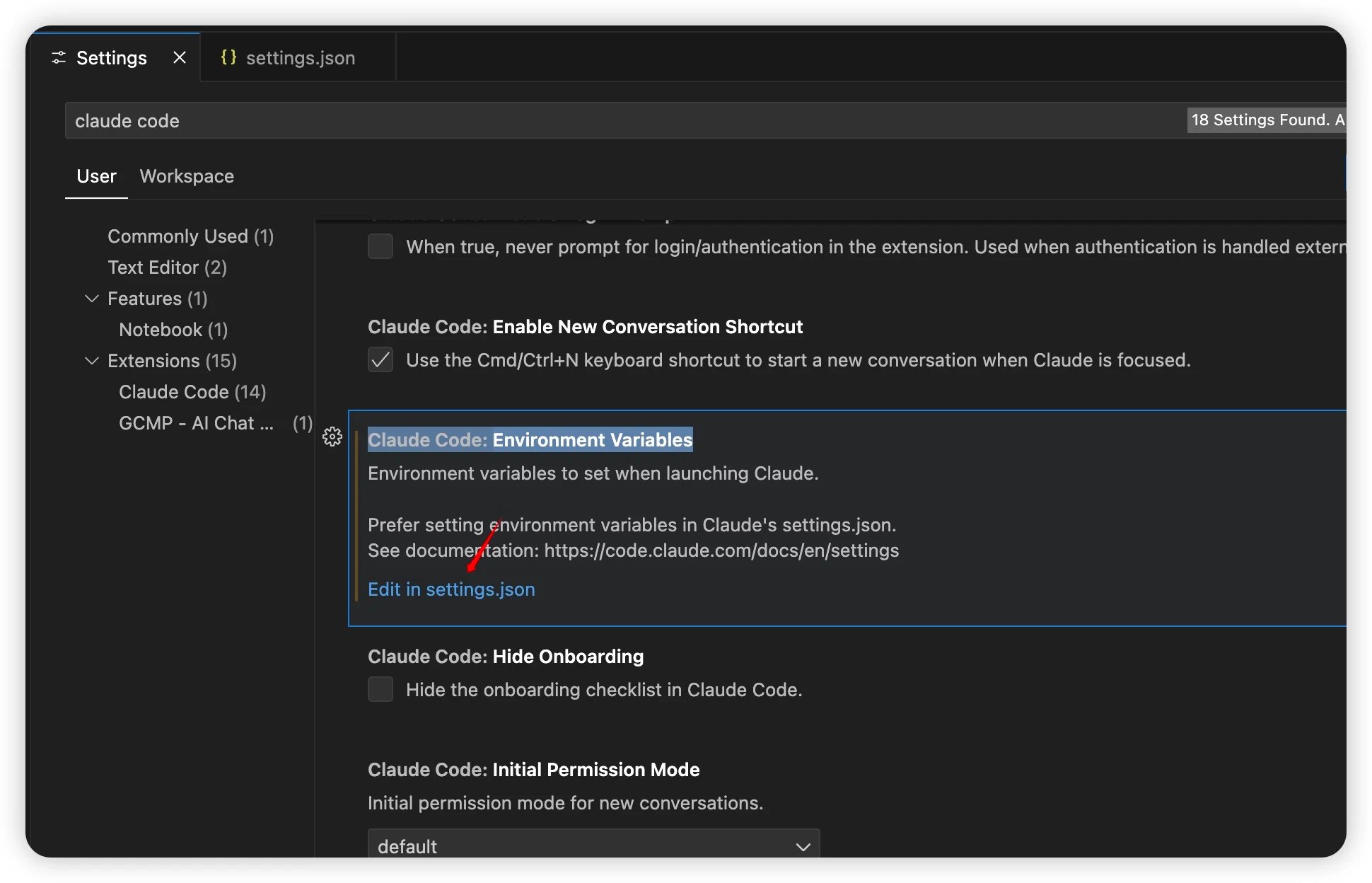
Ctrl + Shift + P/Cmd + Shift + P→ Settings.
- Search Claude Code →
Claude Code: Environment Variable→ Edit in settings.json.
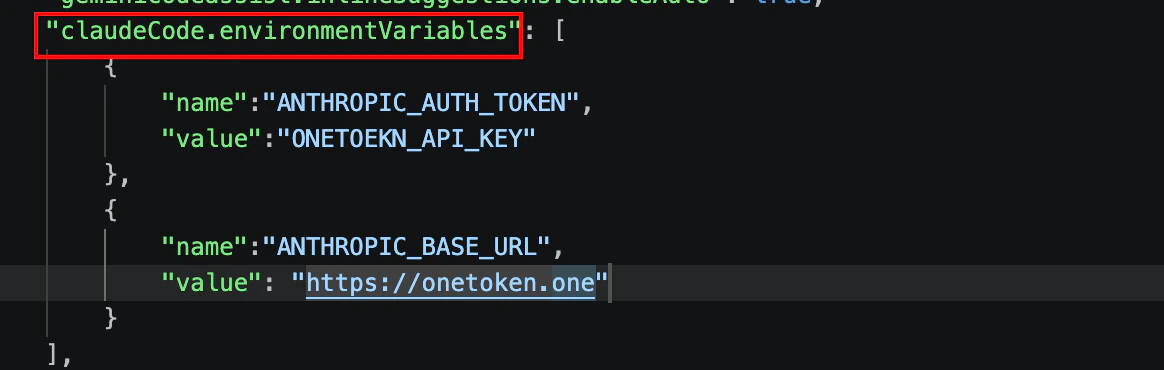
- Fill
claudeCode.environmentVariableswith Onetoken values.
Using the deepseek model in Claude code
Available modelsdeepseek-r1-distill-qwen-14b deepseek-v3 deepseek-v3-0324 deepseek-v3-1-250821 deepseek-v3.2 deepseek-v4-flash deepseek-v4-pro
Method 1: Directly modify the configuration file
Locate the .claude.json file in the user’s home directory. The specific path is as follows:
- macOS / Linux:
~/.claude.json - Windows:
C:\Users\%USERNAME%\.claude.json
ANTHROPIC_MODEL to the name of the deepseek model.
FAQ
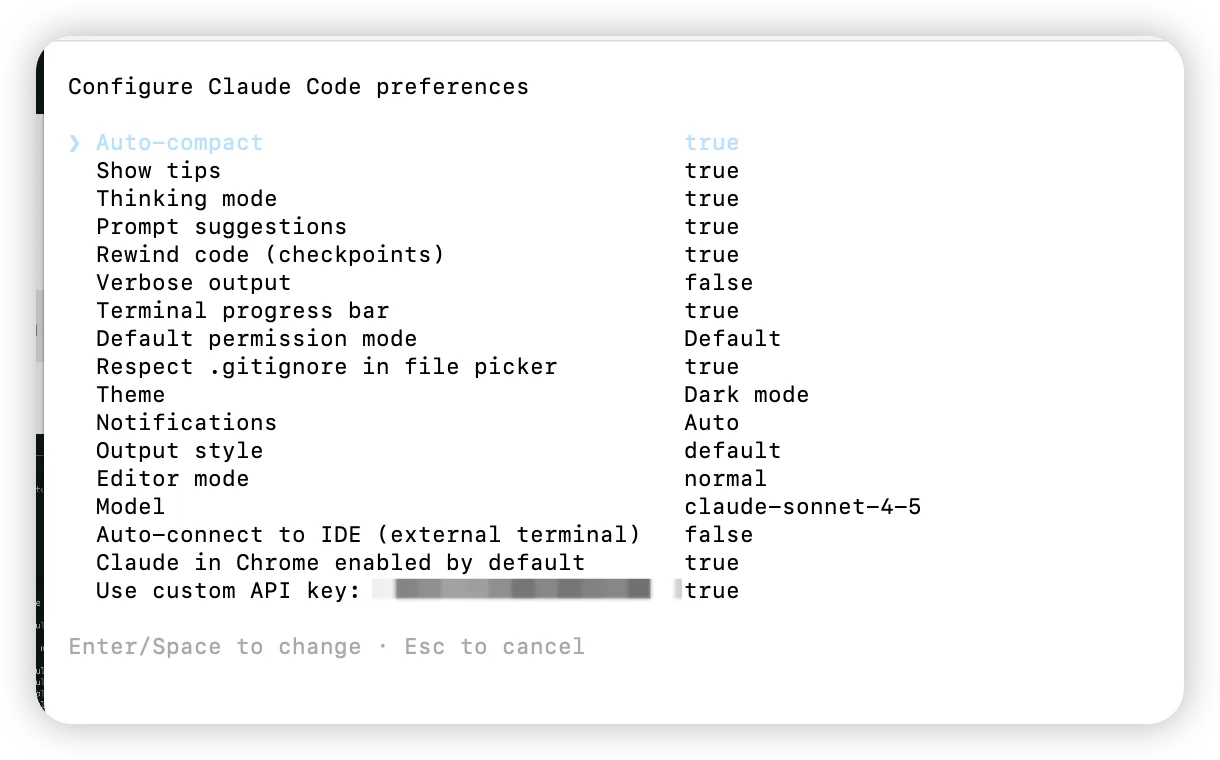
Q: 401 , No token provided...
In the Claude terminal run /config, enable Use custom API key, verify the token.
Q: zsh: command not found: claude on macOS
The binary exists but isn’t on PATH. Common locations:
~/.claude/bin~/.local/bin
~/.claude/bin:
~/.local/bin:
Q: Cannot reach Anthropic
Newer Claude Code builds expectAUTH_TOKEN instead of API_KEY. Update the header name and reload env—key value stays the same. Follow the env steps above.
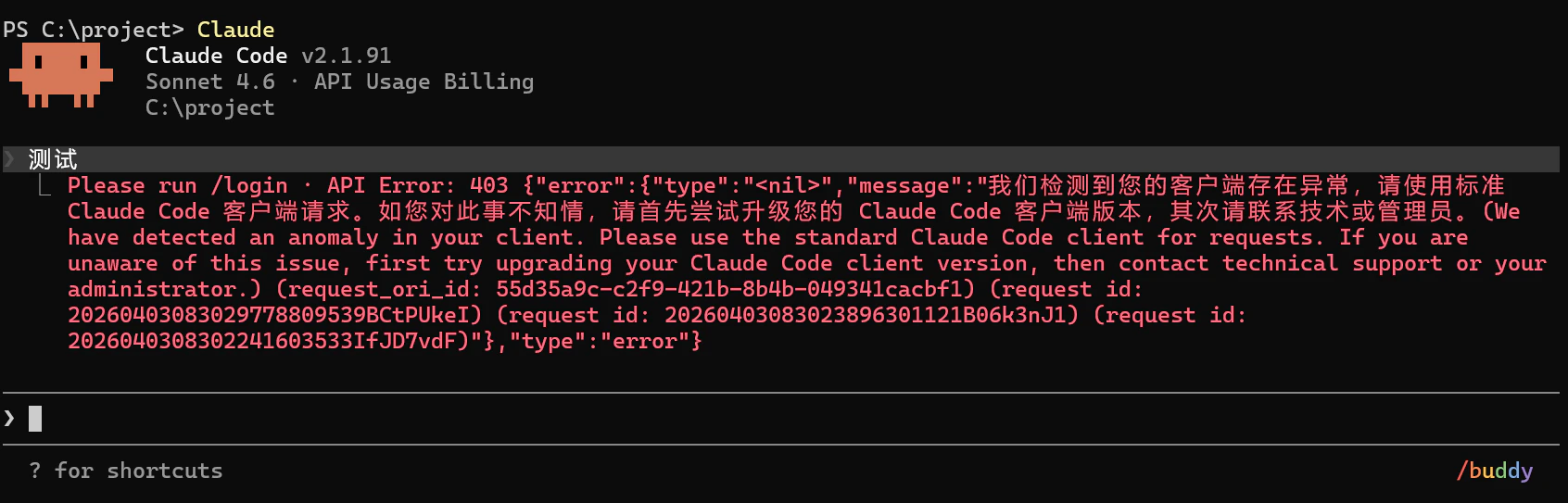
Q: Login API Error 403
Q: How to enable 1-hour caching
- Open the global configuration file ~/.claude/settings.json (or .claude/settings.json in the project directory);
- Add the env field: