

Documentation Index

Fetch the complete documentation index at: https://doc.onetoken.one/llms.txt

Use this file to discover all available pages before exploring further.

Use any Onetoken-hosted LLM with Qwen Code.

Quick setup

1. Install globally

Node.js ≥ 20, then:
npm install -g @qwen-code/qwen-code
qwen --version
See the official repo for details.

2. Environment variables

Add your Onetoken key and base URL (create keys on the Keys page). In ~/.zshrc (example):
export OPENAI_API_KEY="your_onetoken_key"
export OPENAI_BASE_URL="https://onetoken.one/v1"
export OPENAI_MODEL="your_model"
On Mac, press ⌘ + ⇧ + . in your home folder to show dotfiles, then edit .zshrc in TextEdit (or any editor).

3. Apply

Run source ~/.zshrc.

4. Run

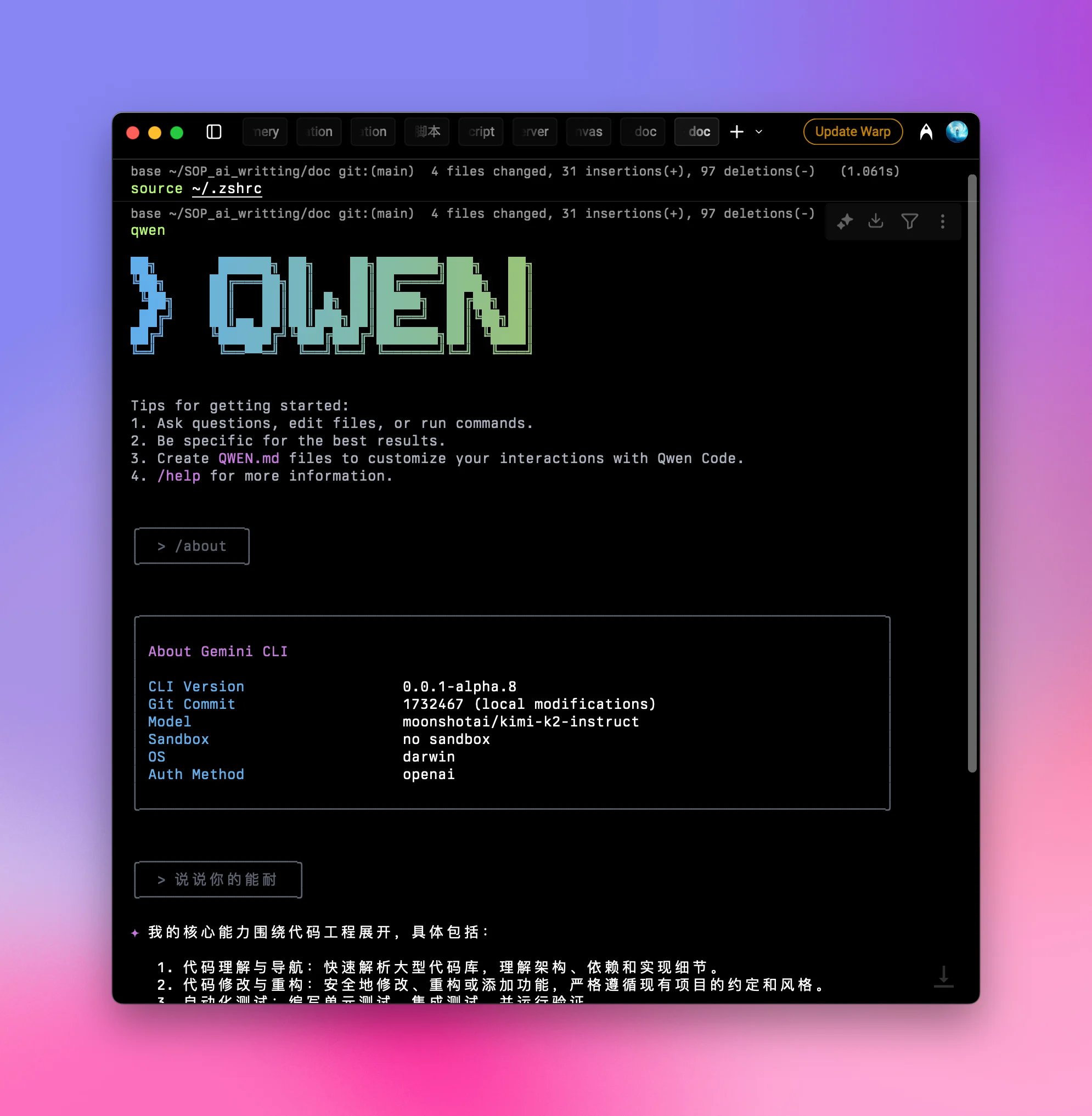
qwen
After launch, run /about to confirm version and model: about
Some users report occasional stalls—consider a limited quota on your key to cap spend.
You’re ready to use Qwen Code normally.