Overview
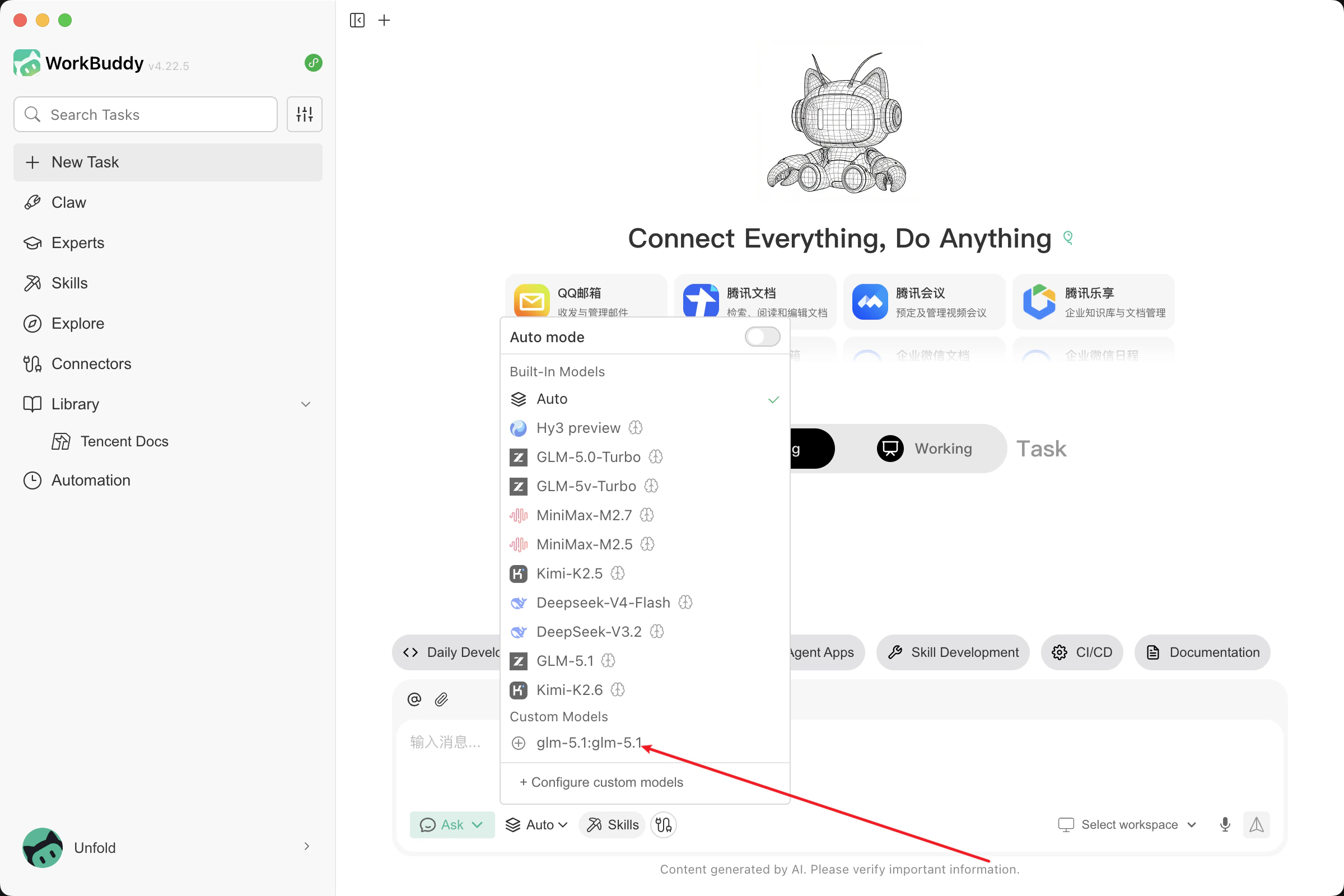
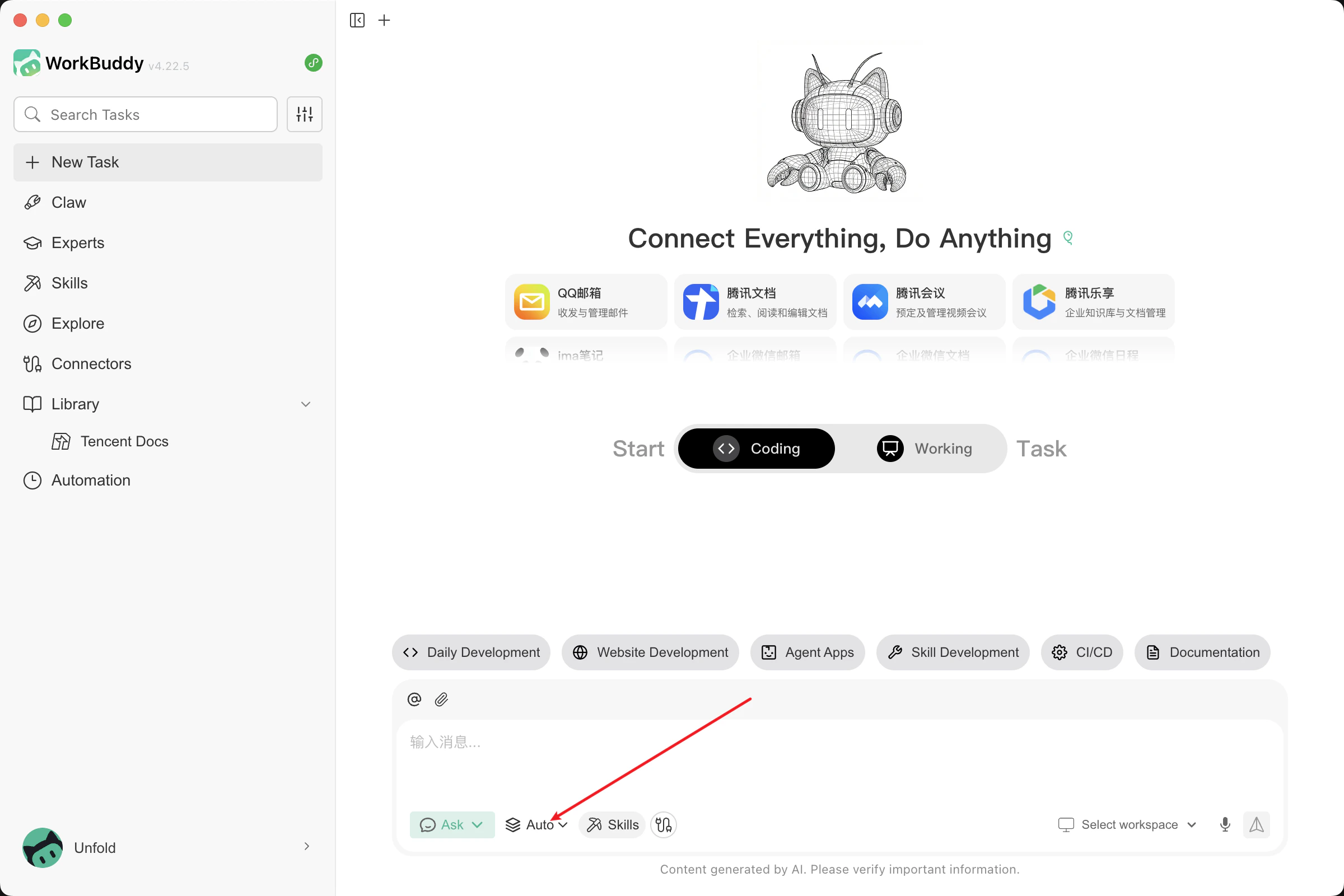
WorkBuddy supports the integration of third-party custom models, allowing you to choose different Large Language Models (LLMs) to power your conversations based on your specific needs. This article provides a detailed guide on how to configure the OneToken platform.- Click on Model Selection, then click on Configure Custom Model.
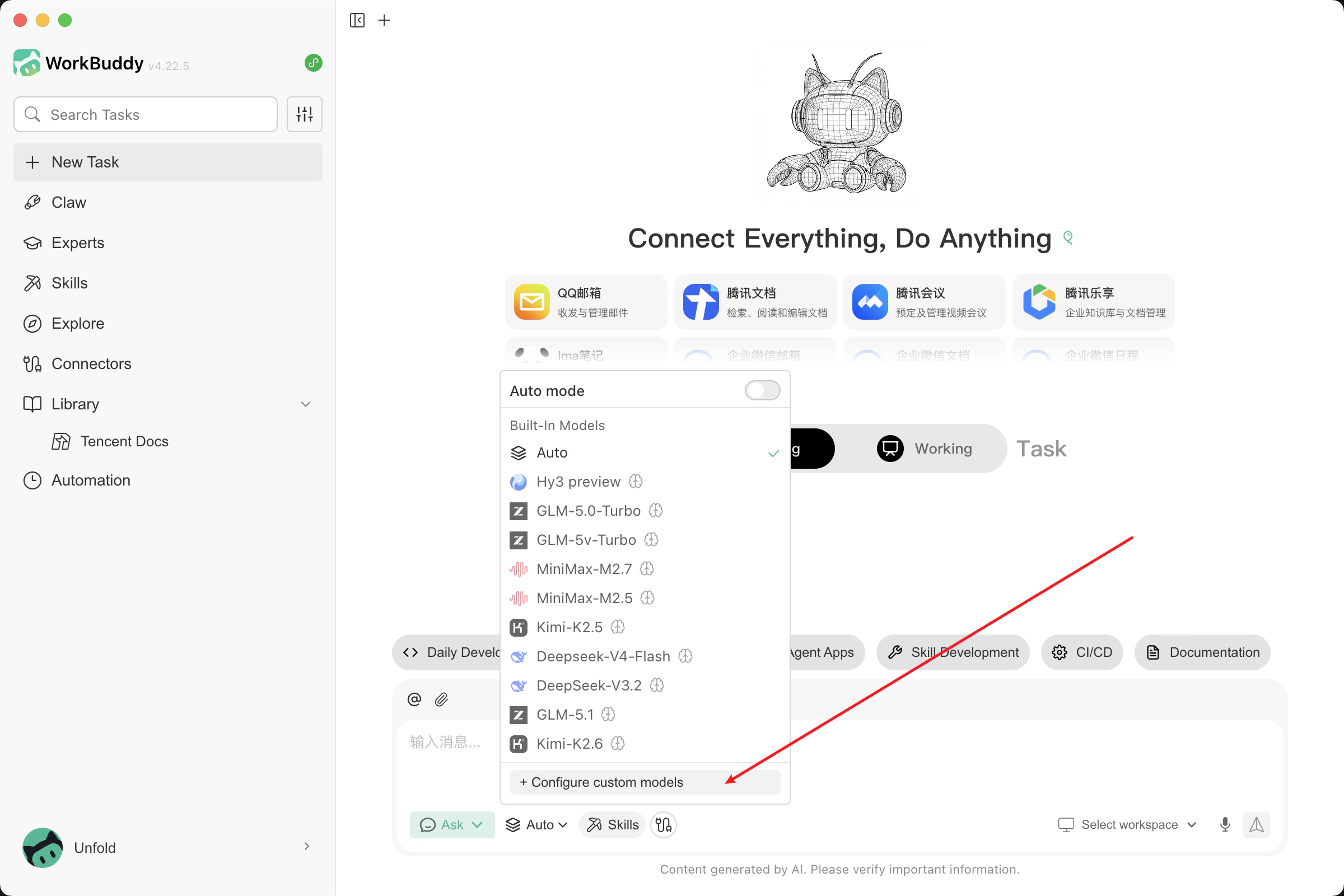
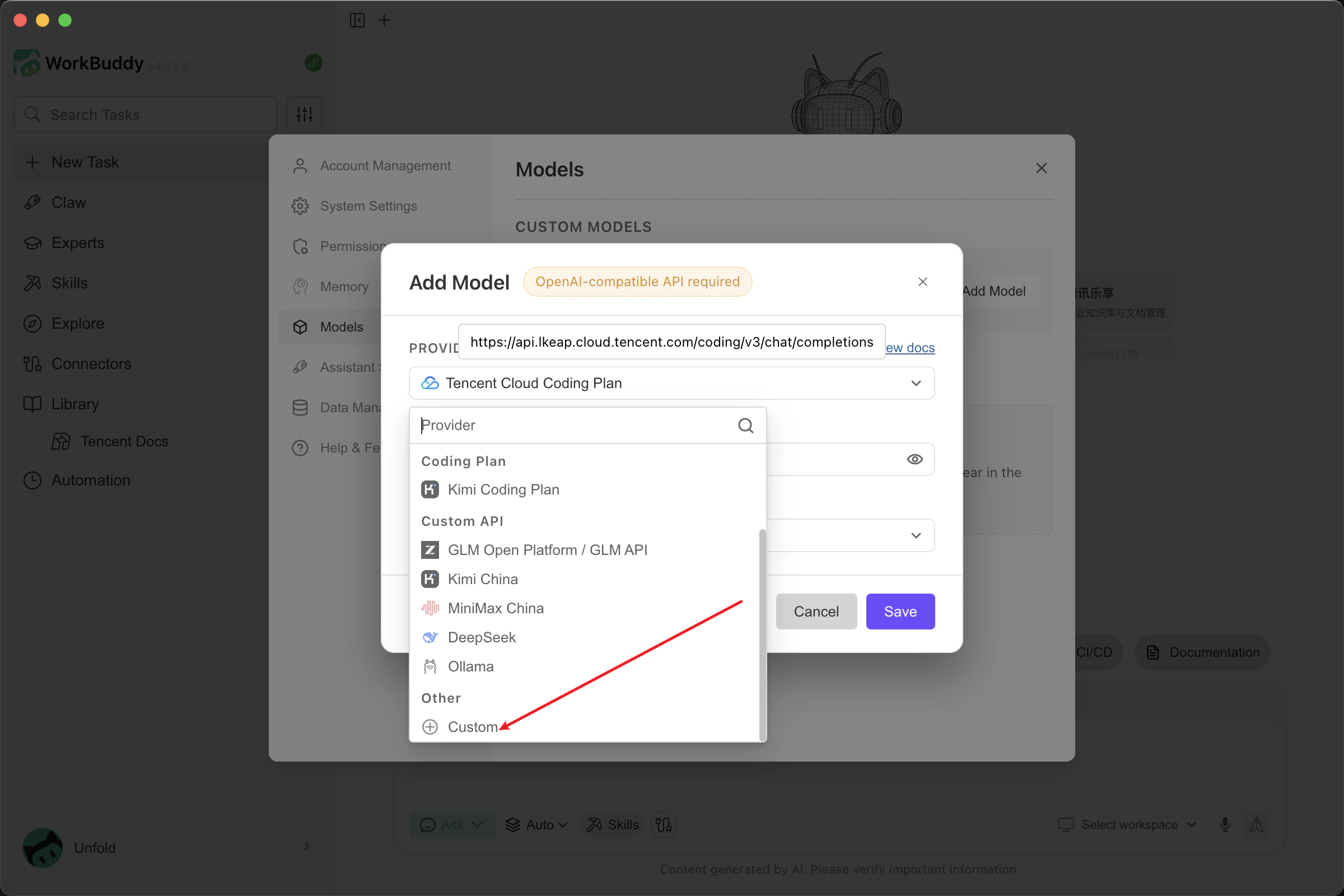
- Click Add Model, scroll to the bottom of the provider list, and select Custom.
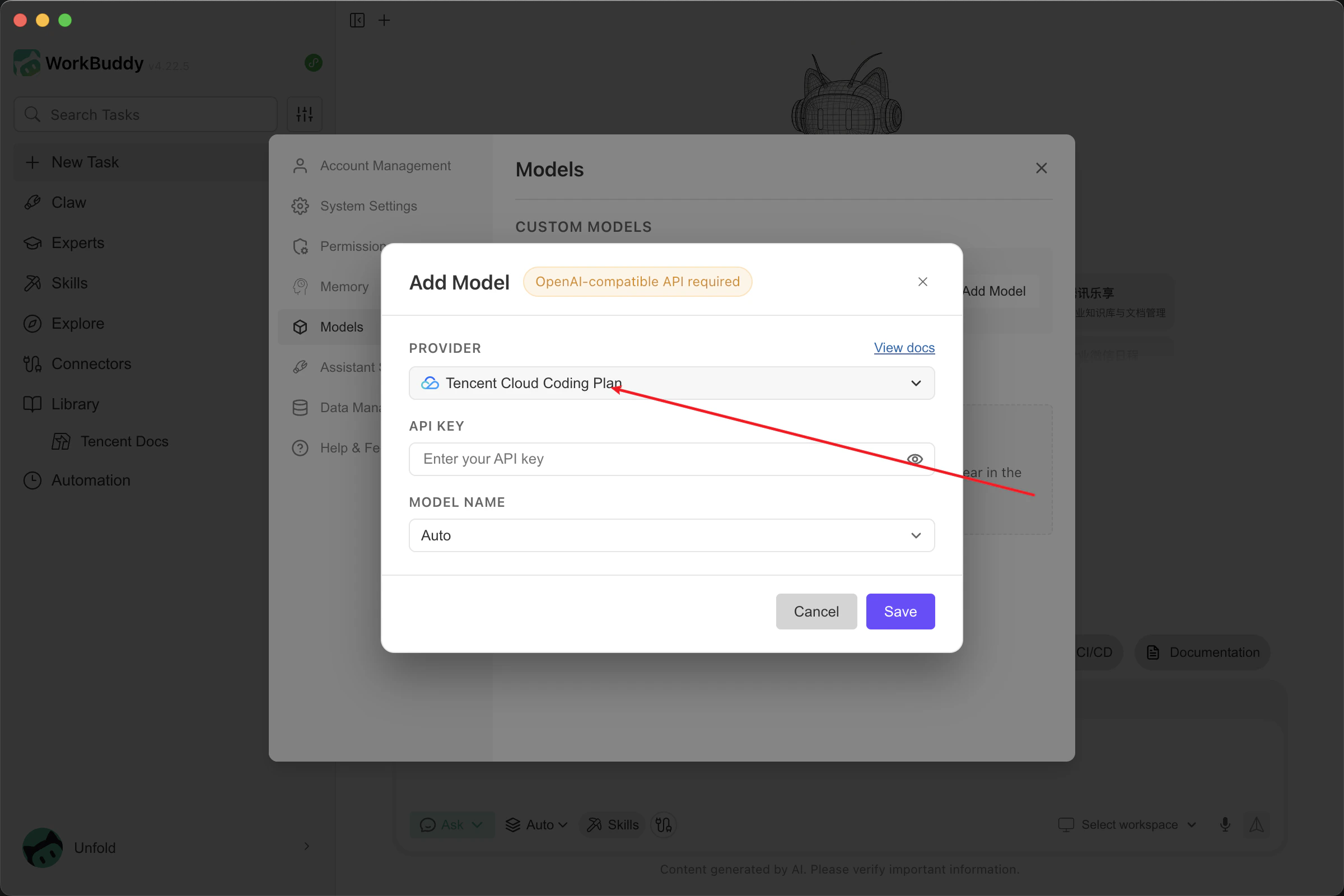
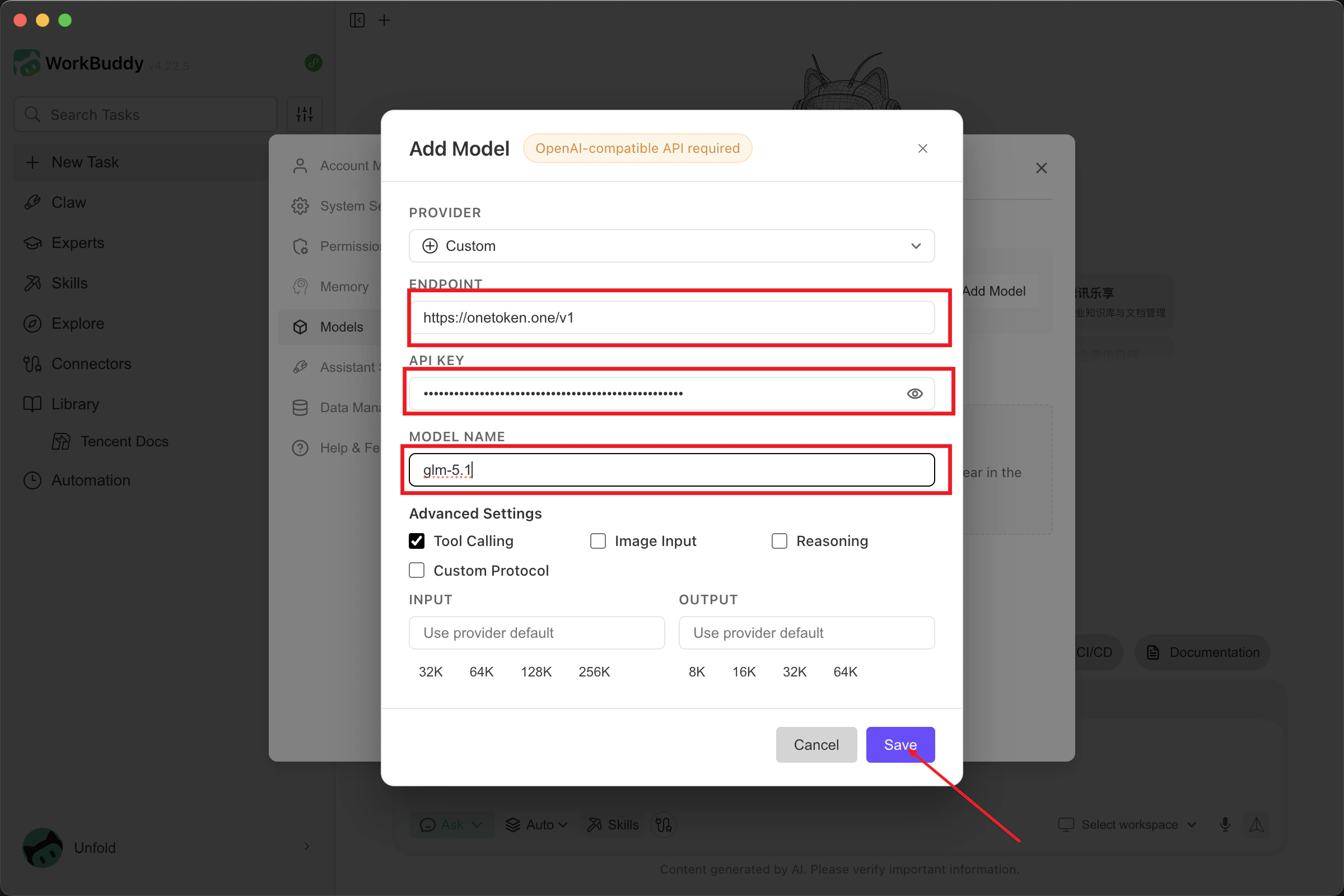
- Fill in the model information:
- API Endpoint: Enter
[https://onetoken.one/v1](https://onetoken.one/v1) - API Key: Use the API Key obtained from the OneToken Platform.
- Model Name: Enter a supported model name from the Model List.
- Advanced Configuration: Configure based on the capabilities of your chosen model. Once completed, click Save.
- API Endpoint: Enter
- Return to the main window, select the custom model you just added, and you are ready to go!